Prezi vs Miro: Pricing, Features, AI Tools, and Use Cases
- Prezi and Miro make sense for different types of work, while Decksy is aimed more directly at turning source material into an editable presentation.
- Choose Prezi if: You want more visual movement, zoom-based presentations, and ready-made designs that need less work before presenting.
- Choose Miro if: Most of the work happens with a team. It makes more sense for shared boards, diagrams, notes, planning, and presentations kept in the same workspace.
- Choose Decksy AI if: You want to turn PDFs, Word files, notes, or prompts into organised slides quickly, then keep editing the deck in PowerPoint or Google Slides.
You have some rough notes and need to turn them into a presentation. Prezi and Miro can both do part of that job, though they work quite differently. Prezi is mainly for creating and presenting visual stories. Miro starts with a shared whiteboard, so it’s useful when ideas still need to be mapped out before the slides take shape.
So how do you compare Prezi and Miro for an actual presentation? We gave both tools the same task. Then we checked the results, how much editing they needed, and how easy it was to change things afterwards. We also looked at pricing, templates, AI features, and team tools.
| Feature | Prezi | Miro |
| Free plan | Yes | Yes, 3 boards |
| Paid plans | From $7/month | From $8/member/month |
| Best for | Presentations | Team boards and planning |
| AI slides | Yes | Yes |
| File upload | PDF, DOCX, PPTX | DOCX |
| Charts | 40+ types | Basic charts |
| Excel files | XLS, XLSX, CSV | XLS, XLSX, CSV, ODS |
| Best for | Visual presentations | Planning, boards, and diagrams |
Free Plans and Paid Features
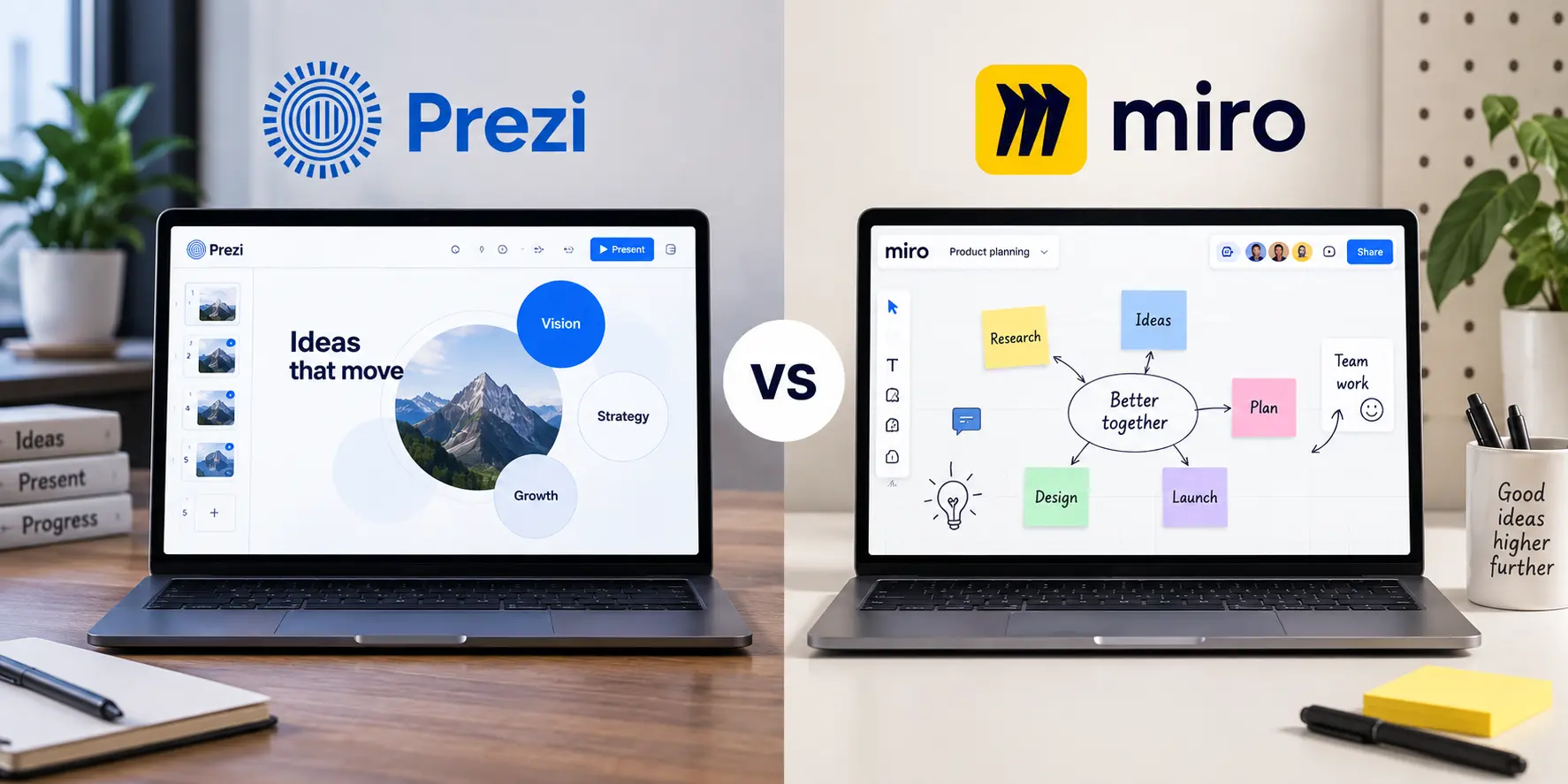
Both offer free plans, but you’ll hit some restrictions. Miro vs Prezi is also a choice of services you are paying for. The primary use of Prezi is to create and deliver presentations. Miro is more about shared boards, planning, and working with others. Let’s look at the prices and what you actually get.
Miro
Miro has four plans. Free costs $0. You get three boards, templates, Slides, Docs, Tables, Kanban, some AI use, and 250+ integrations. If three boards aren’t enough, Starter costs $8 per member a month with yearly billing. It gives you unlimited private boards, better exports, voting, timers, and 25 AI credits per member each month.
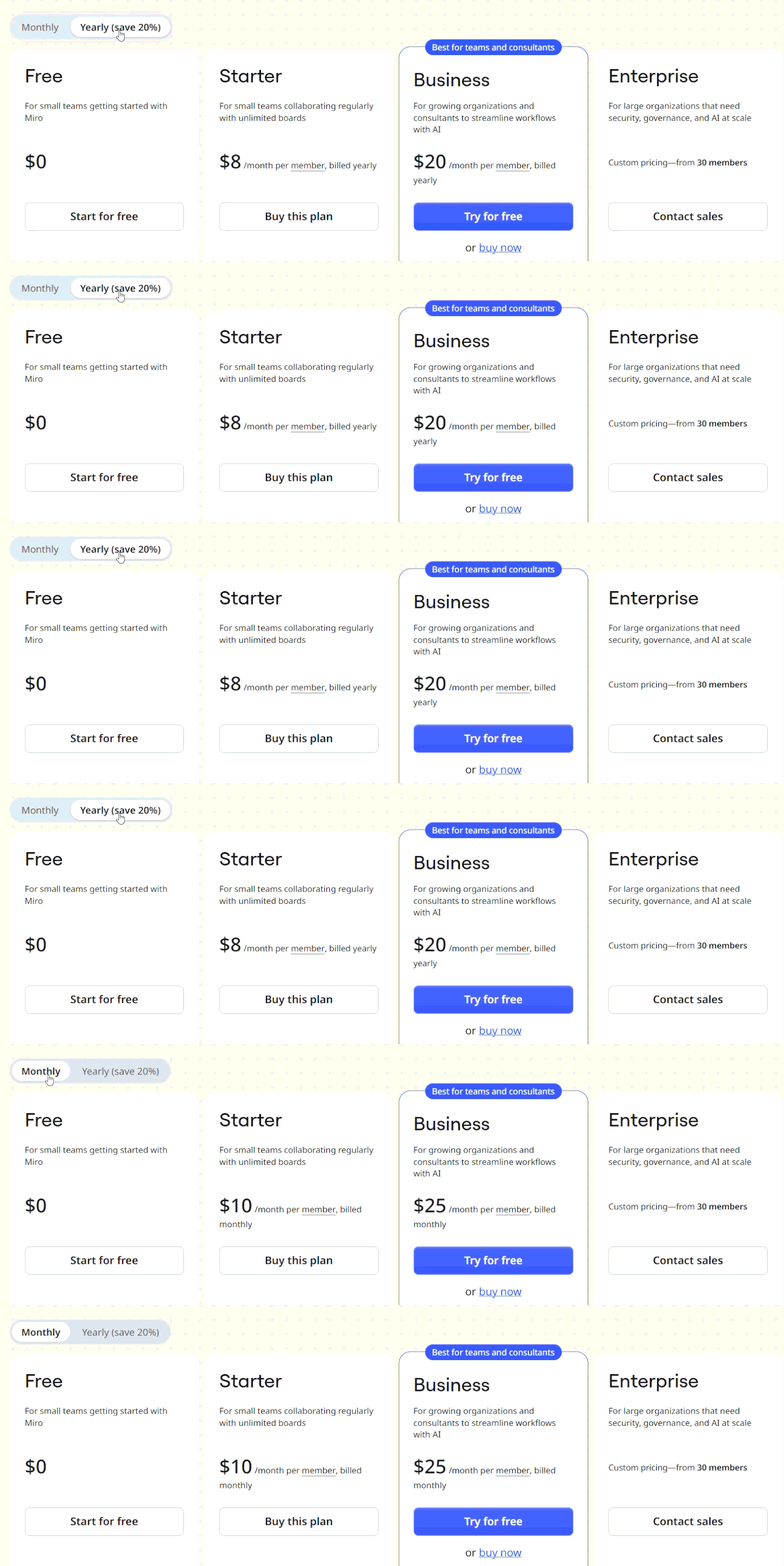
Business costs $20 per member a month with yearly billing. This plan adds unlimited workspaces and guests, prototypes, SSO, AI workflows, and 50 AI credits per member each month. It can also be used as an AI presentation maker for HR when a team needs to plan content and create slides in one place. Enterprise starts at 30 members and has custom pricing, with more security and admin controls.
Prezi
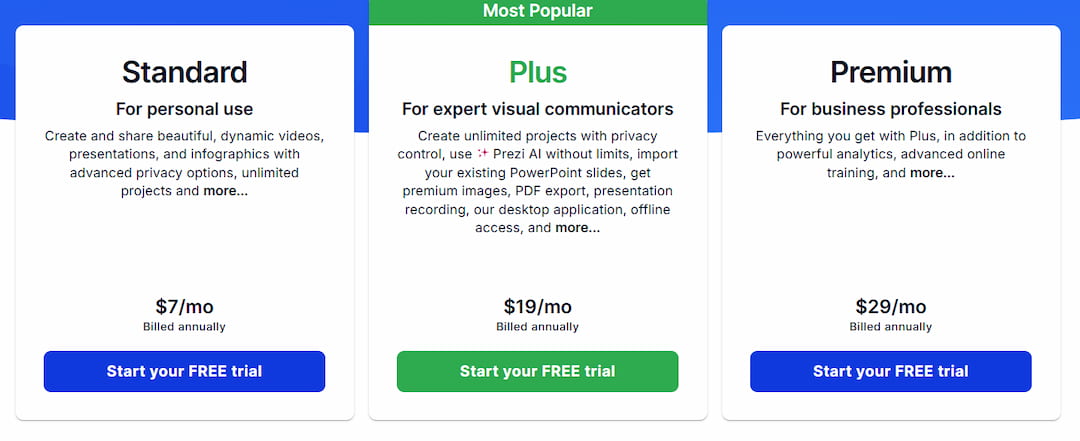
The standard plan costs $7 per month on an annual basis and offers unlimited projects, privacy controls, presentations, videos, and infographics. Plus costs $19 per month and includes unlimited Prezi AI, PowerPoint import, high-end pictures, PDF download, and presentation recording. Premium is $29 per month and includes analytics and online training. Most of the features that are required for general presentations are available in Plus.
Prezi for Business and Education
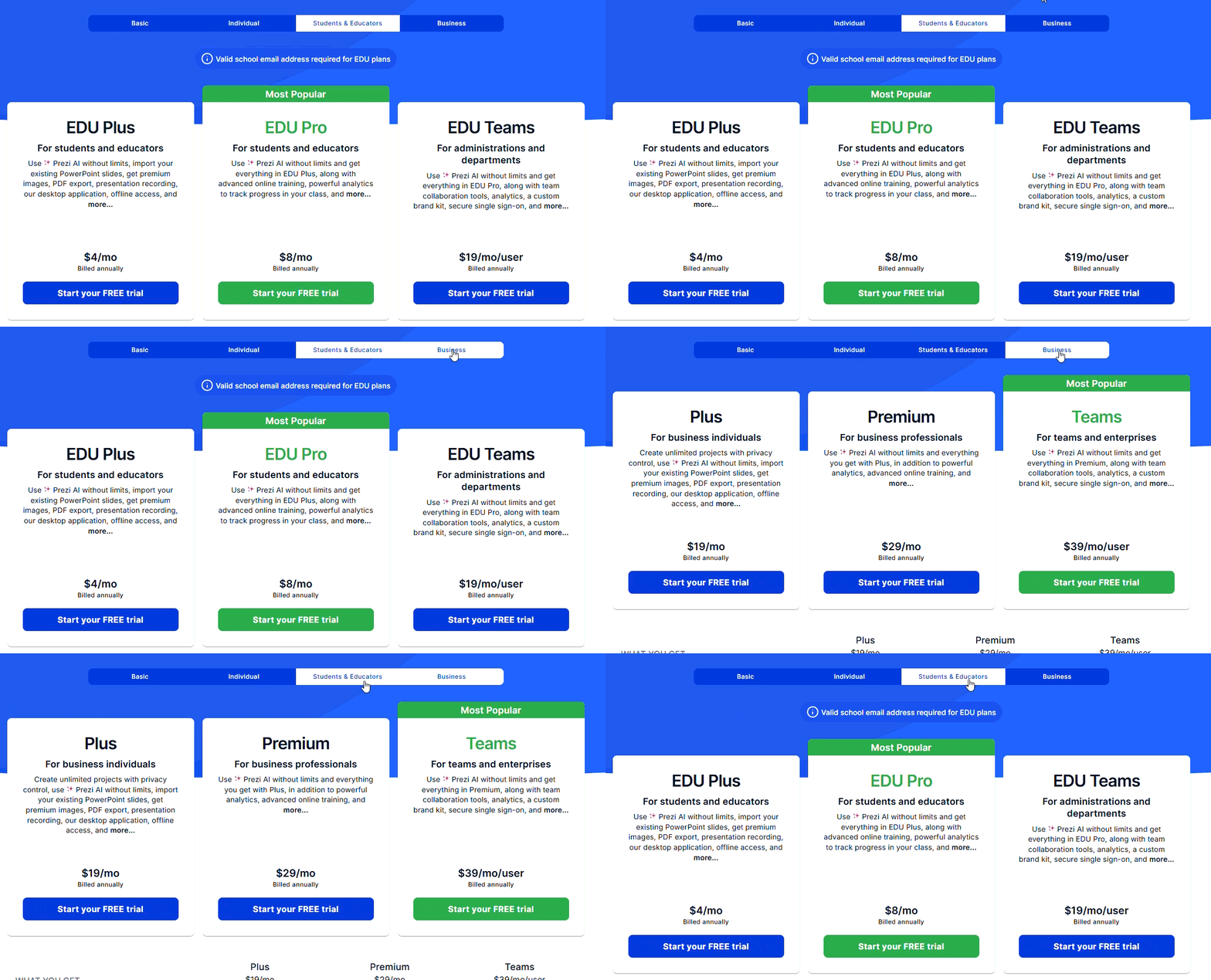
All prices below use annual billing, and education gets the cheaper rates. EDU Plus is $4 a month with unlimited Prezi AI, PowerPoint import, PDF export, premium images, and recording. EDU Pro costs $8 a month and adds analytics and online training. Schools and departments can get EDU Teams for $19 per user per month, which adds team tools, a brand kit, and SSO. When looking at Prezi vs Miro for business, Prezi Plus costs $19 a month, Premium $29, and Teams $39 per user per month.
Export rules can change the real cost of a presentation tool. Some services keep useful export options for higher-priced plans, which quickly pushes the monthly bill up. Decksy is cheaper to test: $2 gives you seven days of access, and the annual plan works out to $10 a month. Full export rights are included, so there is no need to move to a more expensive tier just to download and use the finished presentation elsewhere.
Design Options and Brand Tools
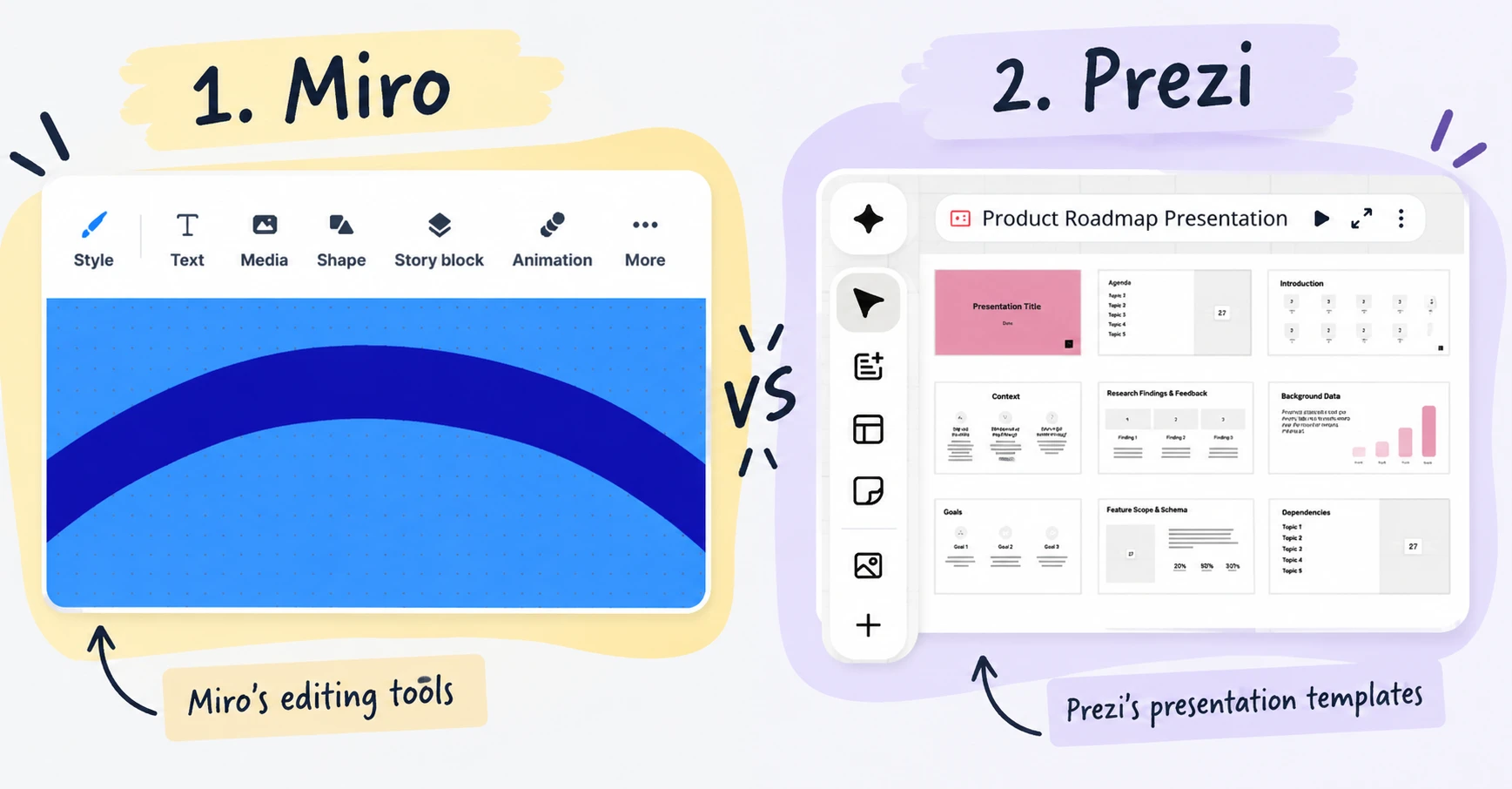
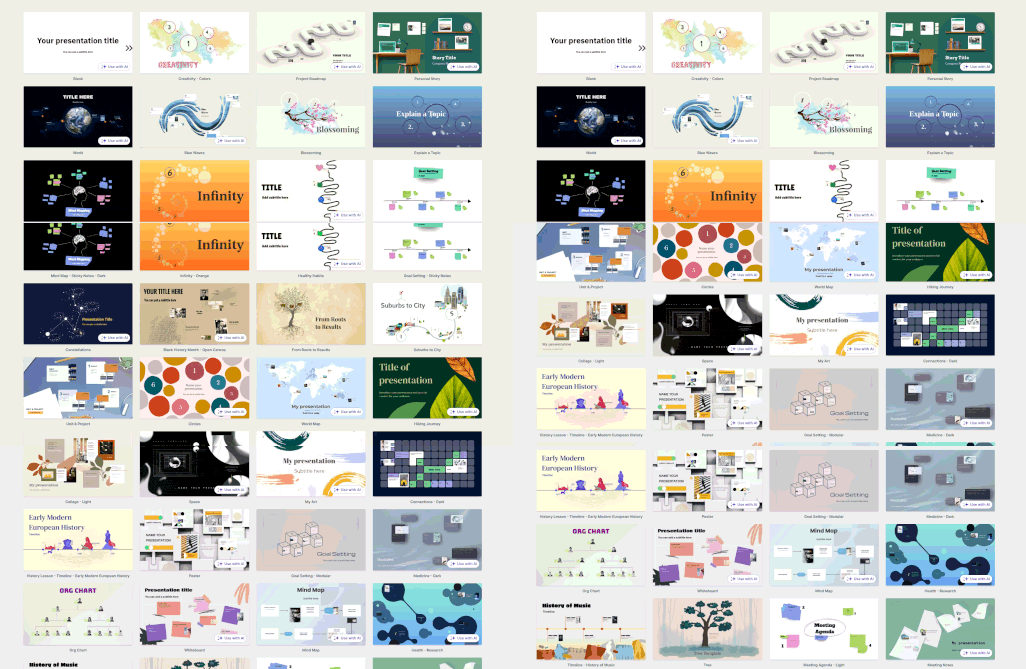
A good template cuts down the time spent fixing a deck before it is ready. That matters when comparing Prezi and Miro for business, since they handle design very differently. Prezi starts with presentation layouts. Miro gives you more types of templates, including boards for planning, workshops, diagrams, and team projects.
Prezi
Prezi’s designs usually look closer to a finished presentation from the start. There are templates for business, education, reports, and other topics, plus more than 20 layouts for individual pages. Some of the older designs lean heavily on zoom effects and can feel dated. The newer AI designs are cleaner. You can pull images from Unsplash, create images with Prezi AI, and change fonts and colors. Teams users also get custom font uploads and Brand Kit controls.
Miro
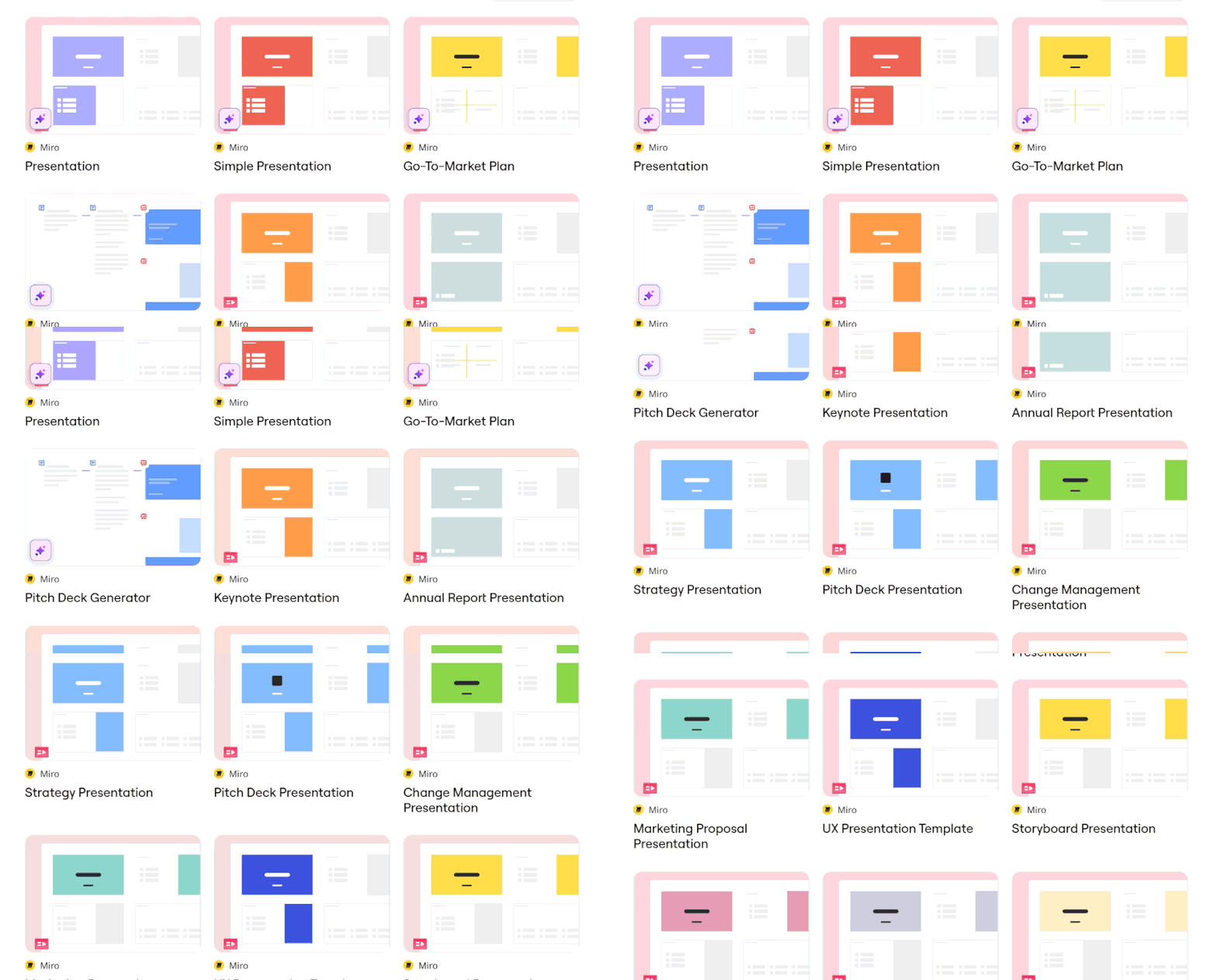
Miro has hundreds of templates, though many have little to do with presentations. A lot of them are built for roadmaps, workshops, diagrams, and planning. The slide designs are fairly basic, so a deck may need extra work before presenting. You still get useful assets, including Unsplash images and Font Awesome icons. Paid plans also give access to Brand Center features such as custom fonts, brand colors, and default fonts for shared work.
Charts and Data Tools Compared
Numbers take more work once a presentation moves beyond a few simple figures. A sales report might have monthly results, a budget can include dozens of values, and research often comes from a spreadsheet that changes over time. In this part of the Prezi vs Miro comparison, we checked how both tools deal with that kind of data, from building charts and importing spreadsheets to updating figures when the source file changes.
Miro
Spreadsheet data is easy to bring into Miro. It supports XLS, XLSX, CSV, and ODS files, and Excel imports can have up to 500 rows and 30 columns. You can turn the data into a table, calculate sums and averages, sort the figures, and format them as currencies or percentages.
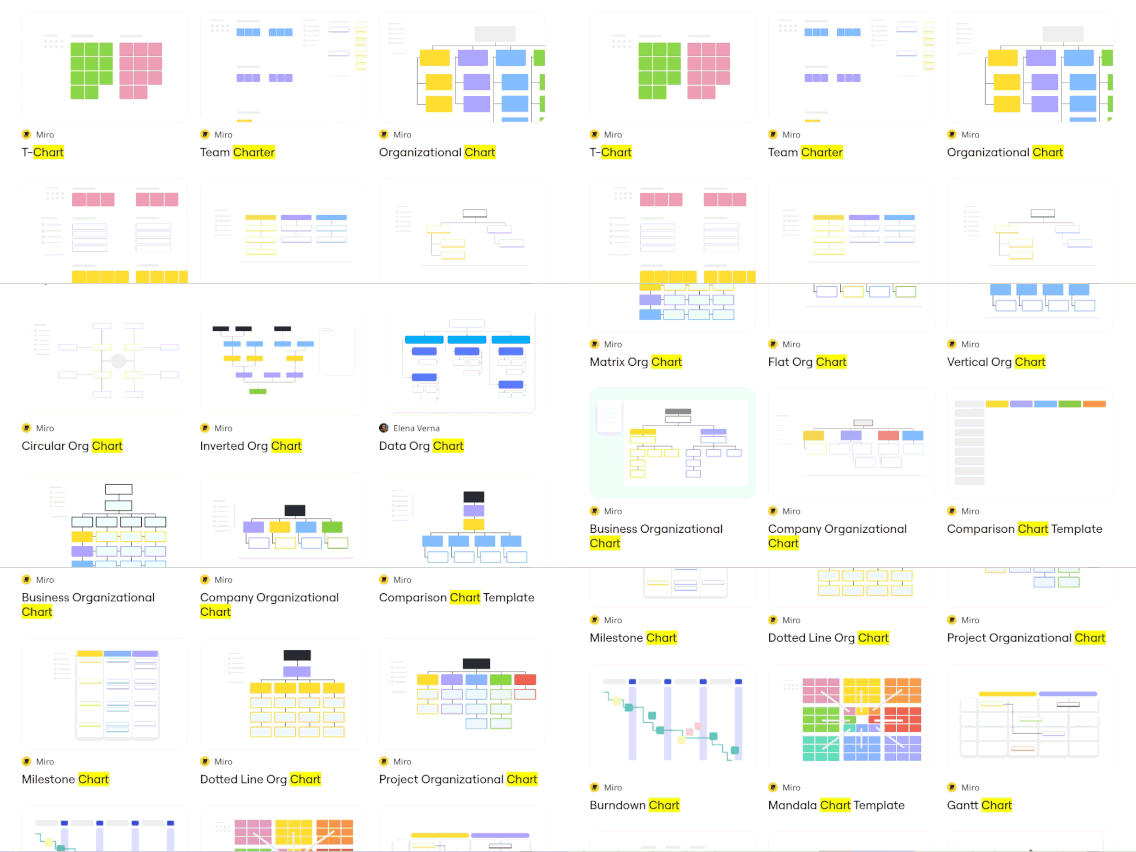
Charts are where the limits become clearer. Miro’s chart tool only works with positive numbers, and it chooses the colors automatically. Google Drive files can sit on the same board and be opened for editing. This makes Miro useful as an AI presentation maker for business when a team wants its data, notes, and comments together.
Prezi
For reports with a lot of numbers, there are several ways to add the data. Figures can be typed or pasted into the chart editor, while CSV, XLS, and XLSX files can be imported directly. Prezi Infographics also includes 40+ chart types, covering common options for sales figures, budgets, and reports.
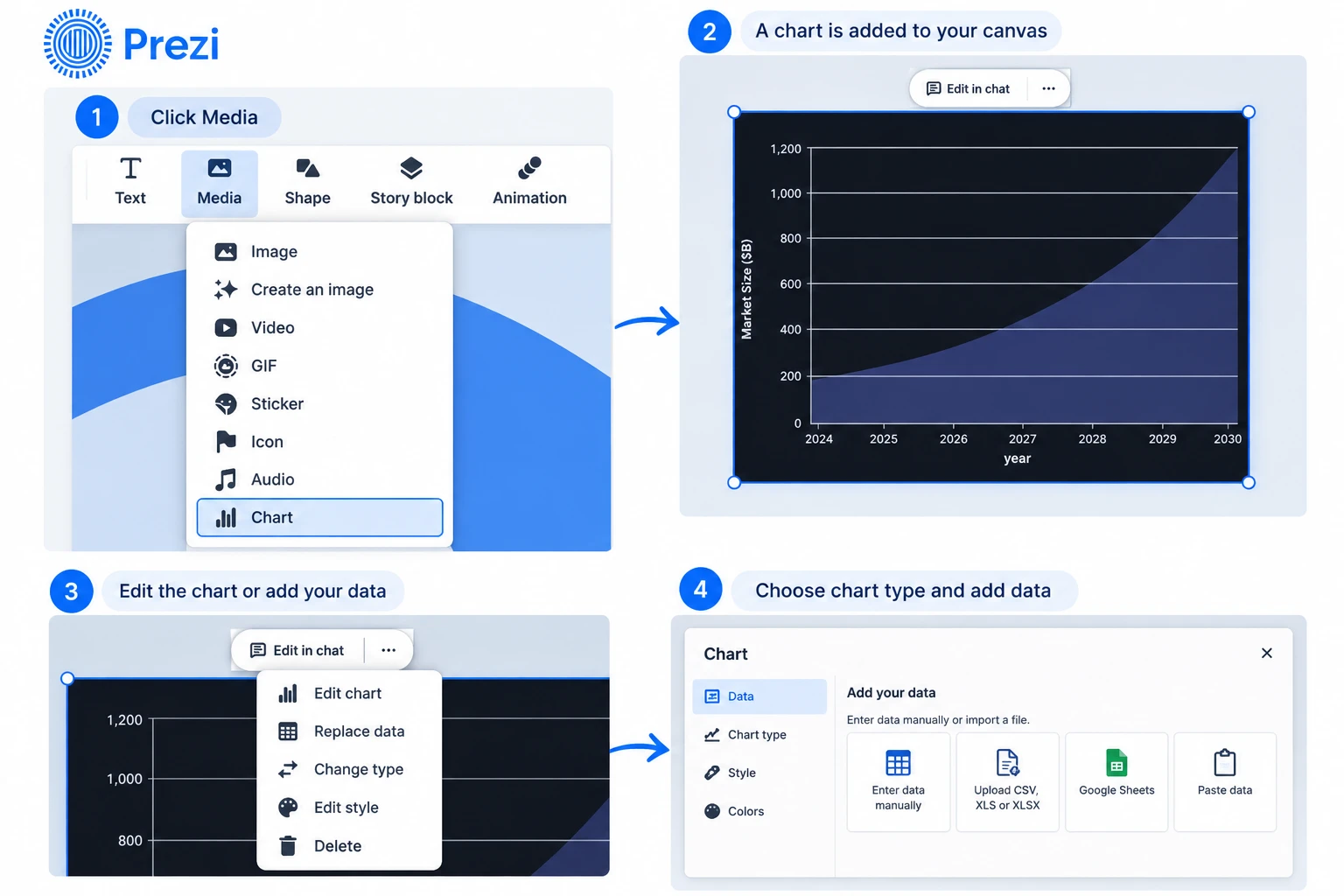
There is another difference worth noting in Prezi vs Sway. Charts in Prezi Infographics can connect to Google Sheets, JSON feeds, and online databases, so changes in the source data can update the chart. Excel formulas themselves are not imported. Prezi works with the values produced by those formulas instead.
Prezi vs Miro: Our Hands-On Test
To find out which is better Prezi or Miro, we used the same task in both and compared the results. The test focused on what actually happened after entering the prompt: how the content was organised, what the slides looked like, how each tool handled an uploaded document, and how much work it took to change individual slides afterwards.

Narrative Logic
Story structure showed a clear difference between the two. Miro put the content into a logical slide order, but some pages felt like separate pieces rather than one connected story. Prezi tied the sections together more closely, with each part leading into the next. That approach could work well for something like a real estate presentation maker, where property details, market figures, pricing, and the final offer need to follow a clear order.

Layout Quality
The layouts were easy to tell apart. Miro kept most slides clean, with short text and plenty of open space, though a few looked too basic and needed extra design work. Prezi used bigger images, stronger contrast, and more variation between slides. It looked closer to a finished deck from the first draft. That can save time when using an AI Keynote presentation maker, especially when the presentation needs more than a basic text-and-image layout.
Document Processing and Speed
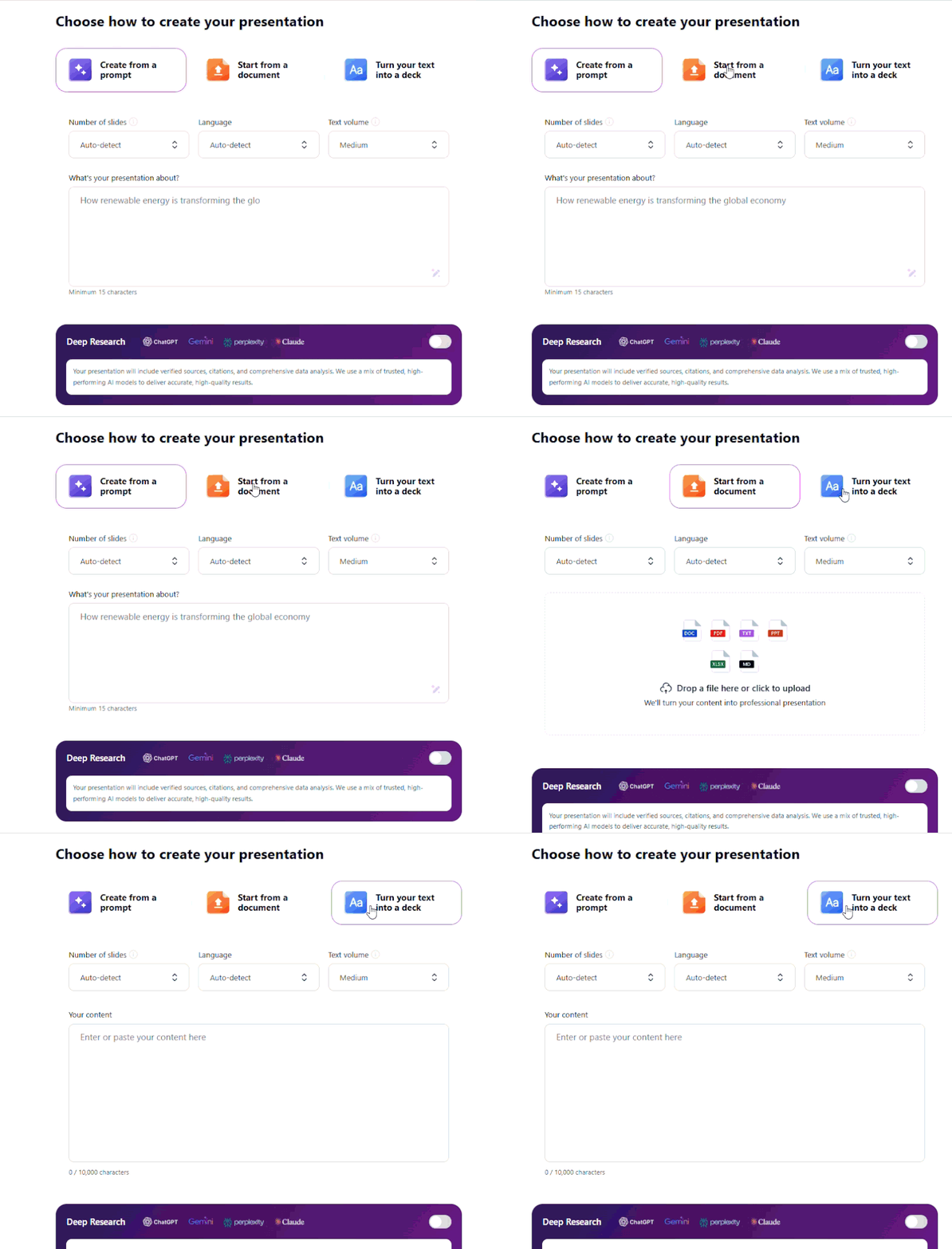
It was easier to work from a file with Prezi. Upload PDF, DOCX, and PPTX files, review the outline, and then generate slides from any text. Useful for comparing Power Point vs Prezi, as an existing PowerPoint presentation can be imported. Miro does one more thing with Word files. It converts the file to a Miro Doc and generates slides from the document.
Editing Flexibility
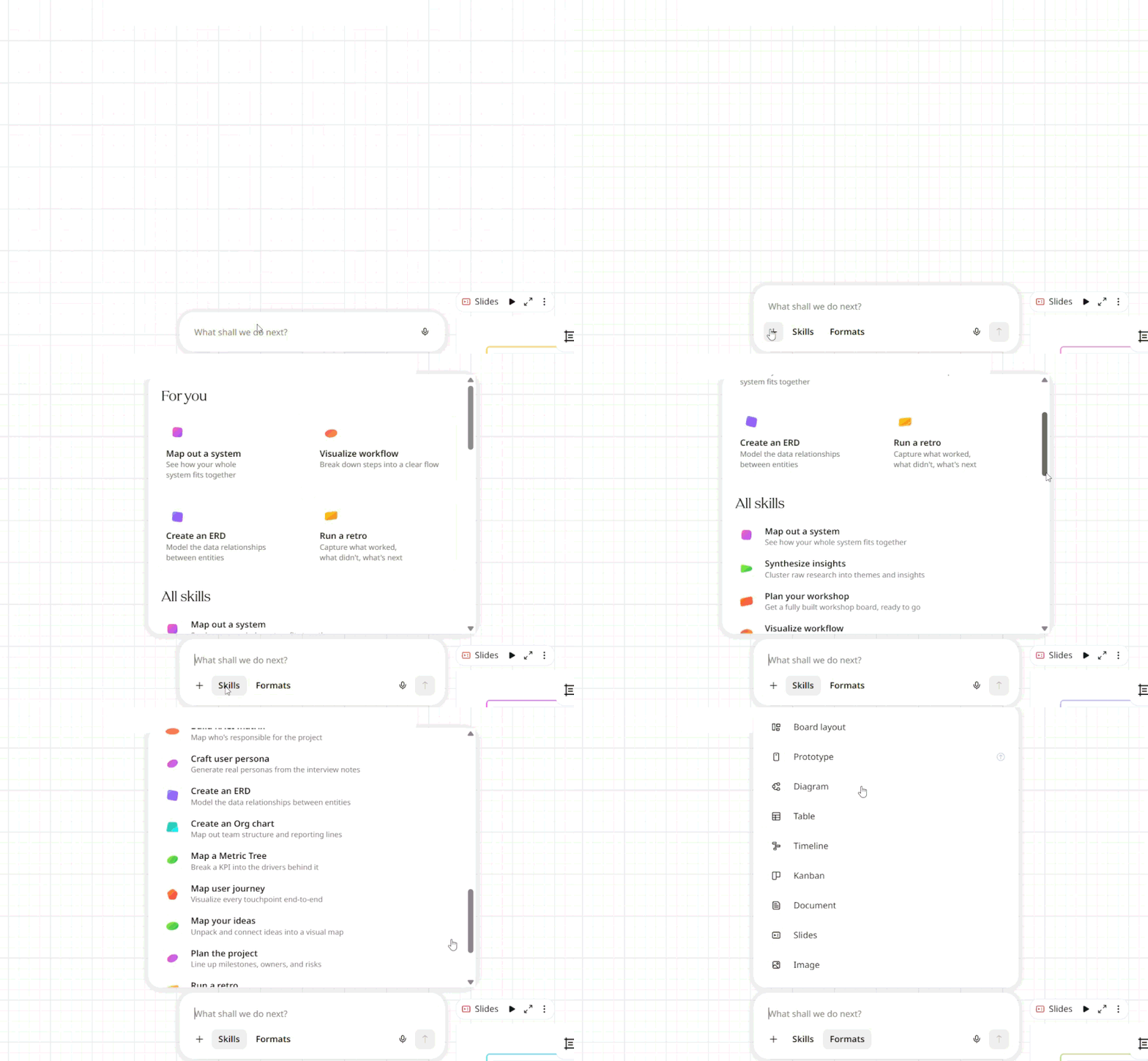
Editing a single slide is simpler in Miro. Pick the slide, change the prompt, and generate a new version without changing the rest of the deck. That is a clear difference between Miro vs Prezi. Prezi lets you change text, images, and layouts manually, but its AI recreation feature works on the whole presentation. For a small AI edit, Miro takes fewer steps.
Decksy does things differently. It is based on the story structure first and the design second, after the content has a clear order. A few AI tools just stuff text and graphics into empty cards; a few others require you to rewrite the entire deck to correct a single page. Decksy allows you to regenerate a single slide instantly, while the other ones remain unchanged.
Export Options and File Compatibility
The limits become apparent when one gets the completed deck out of the editor. The whole presentation can be saved as a PDF file with Miro, and individual slides can be exported as a JPG or SVG file. While Prezi offers PPTX, PDF, and offline downloads, the PPTX files come with a caveat. Each frame turns into a static PowerPoint slide, and the original text boxes and other components can no longer be edited individually.
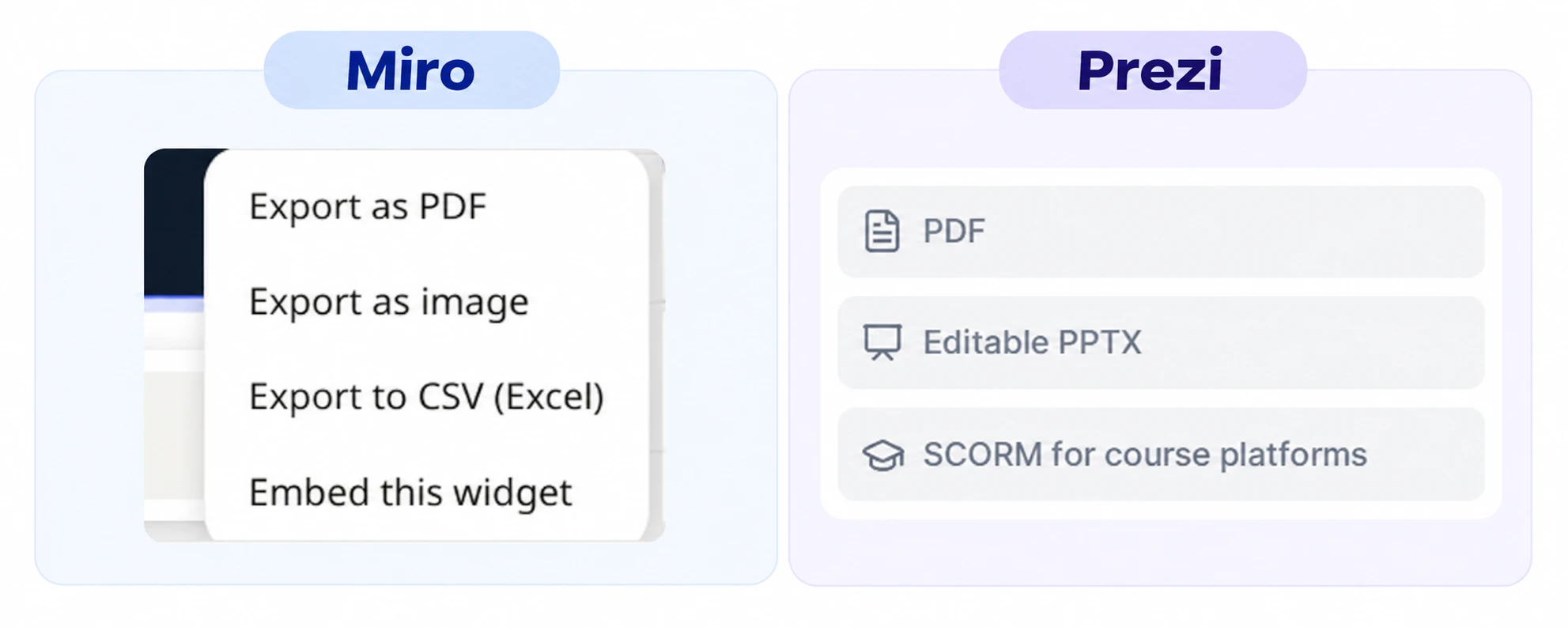
Decksy makes it easier to move the deck from one editor to another. It renders presentations as editable PPTX files so that all the elements on the slides are not flattened as a single image. Then it can be edited in Microsoft PowerPoint or opened in Google Slides. There is no restriction on continuing to work on the deck outside of Decksy, outside of the deck editor.
Another Option: Decksy AI
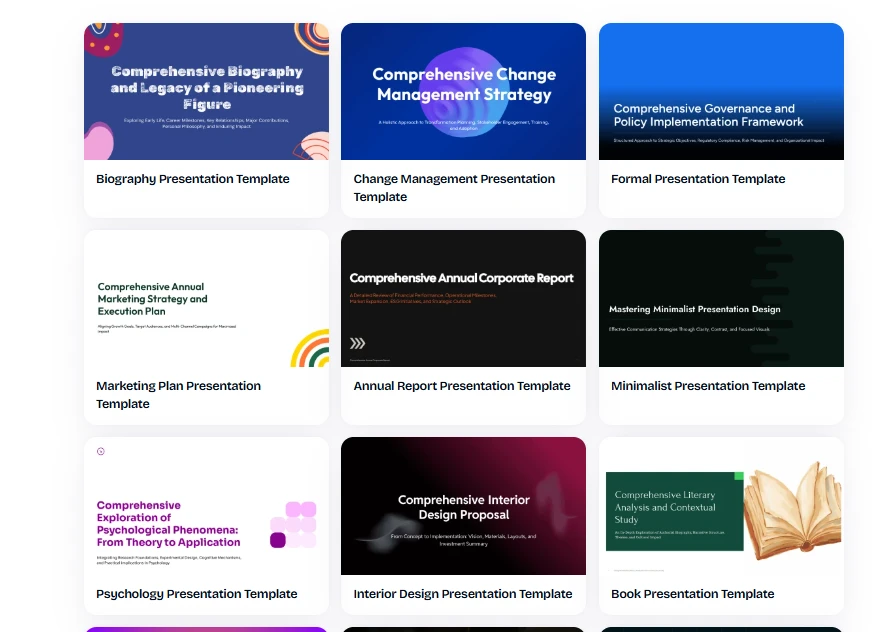
Between Prezi, which seems too much about the movement of the pictures, and Miro, which leaves too much formatting work for the user, there’s Decksy AI. It can read a prompt, a PDF, or a Word document and then structure the main points into a coherent sequence, which you can then proceed to build the slides around. This makes it a useful alternative to Prezi and Miro for people who want AI to handle more than the design.
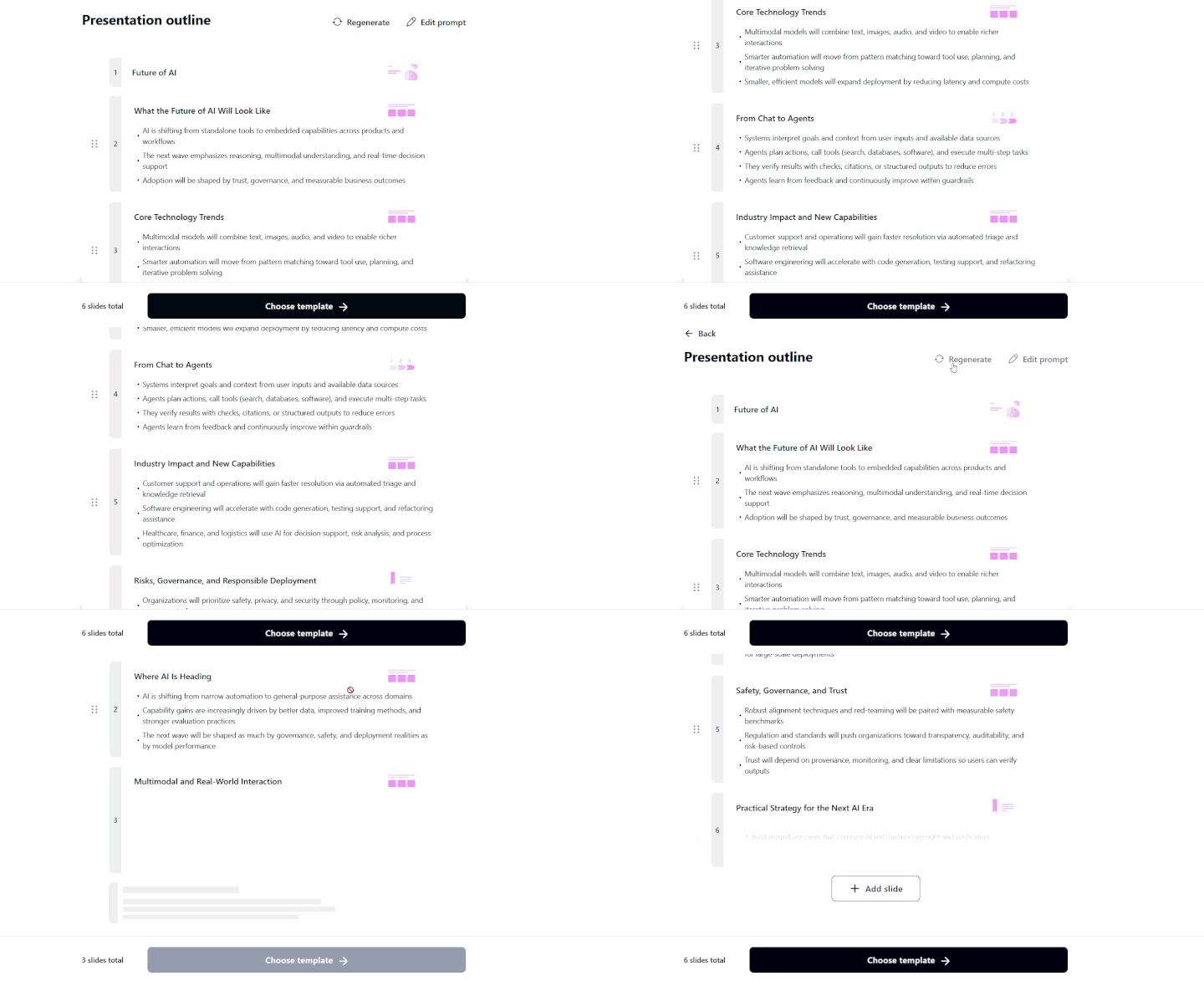
The completed deck is also editable. Decksy allows you to work on the slides even after they have been exported, unlike the one editor mentioned above. Changes to text, the movement of elements, replacement of images, or changes made to individual slides can be made without rebuilding the entire presentation.

On decksyai.com, where people come looking for clarity wrapped in a bit of personality, Julia leans into the details that make a message land: the pause between two ideas, the subtle shift in spacing, the moment a visual finally clicks.