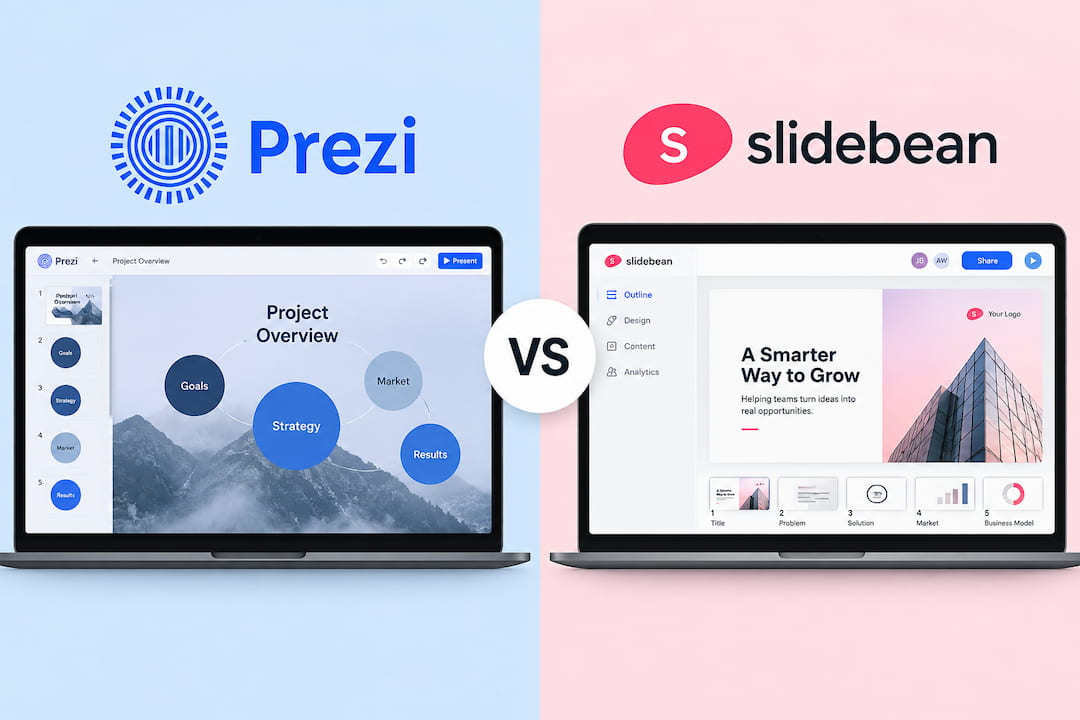
Prezi vs Slidebean: Which Presentation Tool Is Better?
- The Prezi vs Slidebean comparison points to three different use cases. Prezi gives you more freedom with design and movement. Slidebean is built mostly around startup decks and fundraising. Decksy makes more sense when you already have a lot of content and need to turn it into slides.
- Choose Prezi if: You want zooming presentations, more control over the design, education features, and offline presenting.
- Choose Slidebean if: You mainly work on startup pitch decks and need financial models, cap tables, investor research, and fundraising tools.
- Choose Decksy AI if: You have a prompt, PDF, Word file, or notes and want AI to build the deck from that content.
- You can redo one slide at a time and keep editing the exported PPTX in PowerPoint or Google Slides. There is no reason to pick the tool with the longest feature list. Pick the one that matches the work you actually do.
- Prezi is the better fit for visual presentations, Slidebean for startup fundraising, and Decksy for turning existing content into an editable deck with less manual work.
You need to finish a presentation, and Prezi and Slidebean both seem like reasonable options. They don’t work the same way, though. Prezi gives you more control over structure and movement. Slidebean handles more of the layout itself. So, which is better Prezi or Slidebean when you need a deck that won’t take hours to fix?
This Prezi vs Slidebean comparison looks at pricing, AI tools, design, editing, collaboration, and exports. We’ll also give both tools the same task. Same prompt. Same source material. Then we’ll compare the results, the time each tool takes, and how much work is left after the first draft.
| Parameter | Prezi | Slidebean |
| Price | Free, paid from $7/month | From $7/month |
| AI | Good for different presentations | Mainly for pitch decks |
| Files | PDF, Word, PowerPoint | More limited |
| Design | More control | Simpler layouts |
| Charts | More data options | Basic charts |
| Editing | More flexible | More fixed |
| Export | PPTX, PDF, offline | PPTX, PDF, HTML |
| Best for | Business and education | Startups and fundraising |
Slidebean vs Prezi Pricing, Plans, and Features
The listed price doesn’t always show what you’ll end up paying. Prezi splits its tools across several plans, so the cheaper options leave out some features you may actually need. Slidebean is simpler. Its plans are built mostly around pitch decks, with some important limits on the free account.
Decksy is another alternative to Prezi and Slidebean worth putting next to them on price. You can try it for $2, then pay $10 a month with annual billing. Full export rights are included. That’s a useful difference when some presentation tools make you move to a more expensive plan just to get the export format you need.
Prezi
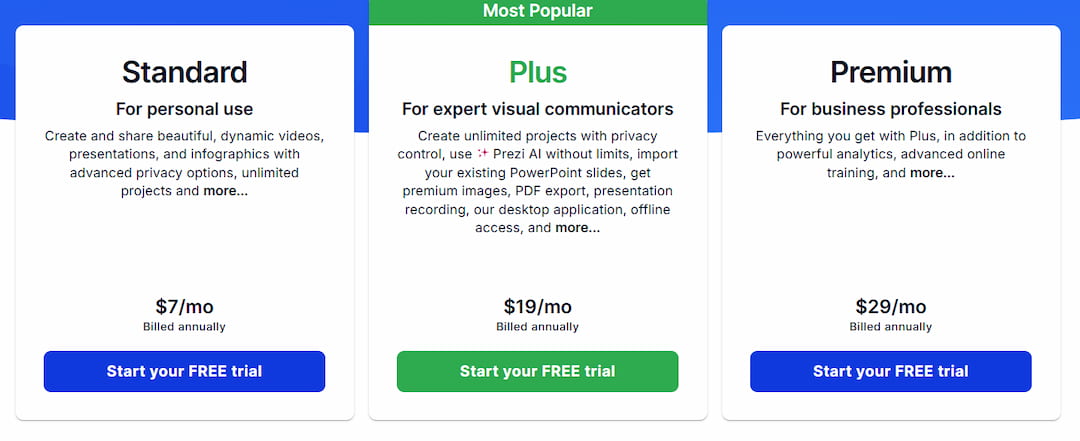
It’s very useful that Prezi has several plans, so you can pay only for the features you need. Basic is free, but you can create only five projects, and they’re public. Standard costs $7 a month with annual billing. It gives you unlimited projects and privacy controls.
Plus costs $19 a month and adds unlimited Prezi AI, PowerPoint import, PDF export, premium images, recording, the desktop app, and offline access. Premium is $29 a month and also includes analytics and online training. Prezi has plans for teams too, but the price isn’t listed. You need to ask for a quote.
Prezi for Education, and Business Use
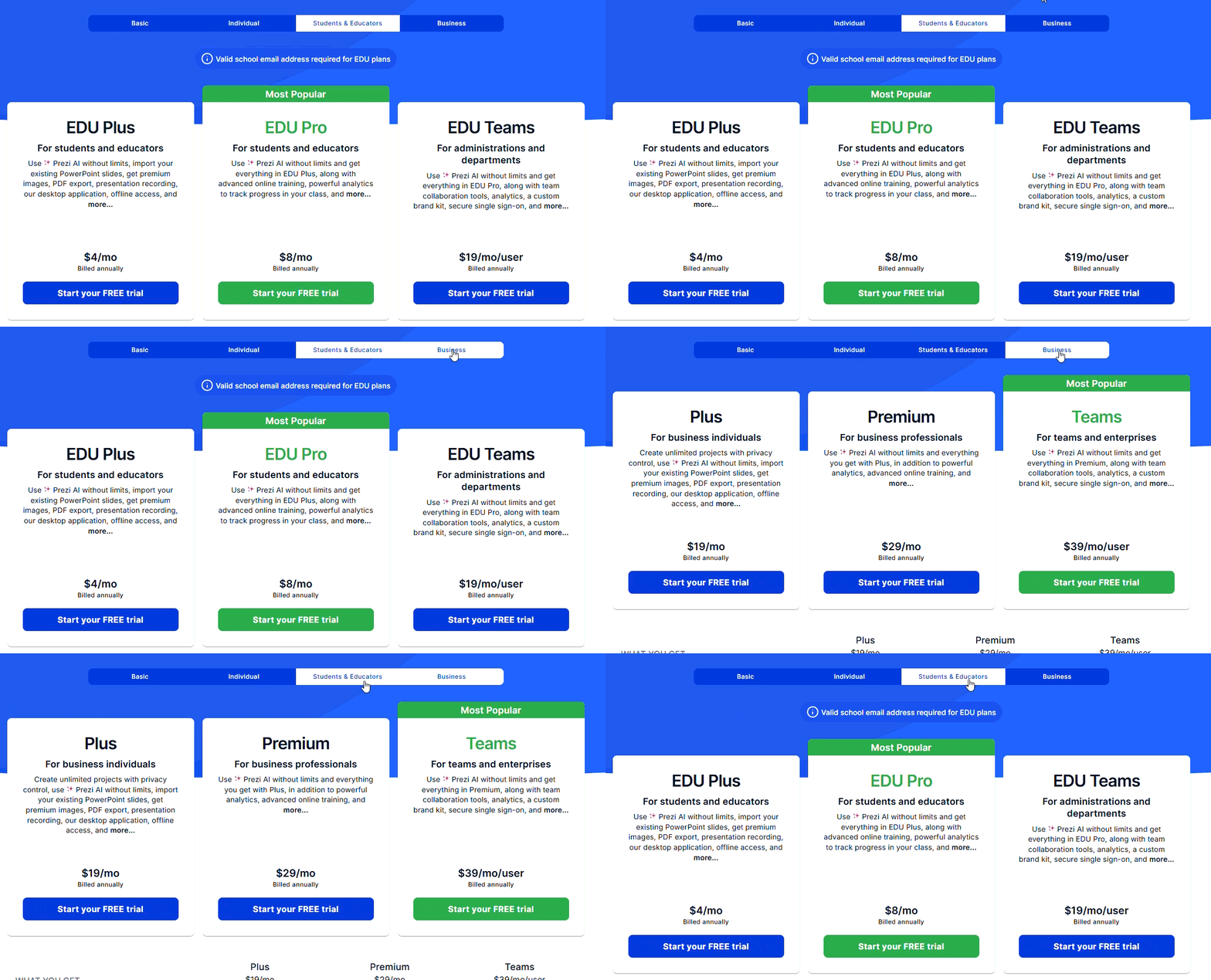
Prezi has separate prices for schools and businesses. EDU Plus is $4 a month, while EDU Pro is $8. Schools can also get EDU Teams for $19 per user. You’ll need a valid school email for these plans. Business pricing is higher. Plus costs $19 a month, Premium is $29, and Teams is $39 per user. The more expensive plans add things like analytics, shared brand controls, team tools, and SSO. These prices apply when you pay for a year.
Slidebean
Unlike Prezi, Slidebean has just two paid plans. Starter is $7 a month if you pay for a year. It gives you unlimited AI pitch decks, over 100 templates, AI deck reviews, ollaboration tools, sharing controls, and export to PDF and HTML – the cap table tool and financial modelling course sit on higher tiers. The focus is mostly on startup pitch decks. If you’re looking for an AI case study generator, Slidebean may feel quite limited.
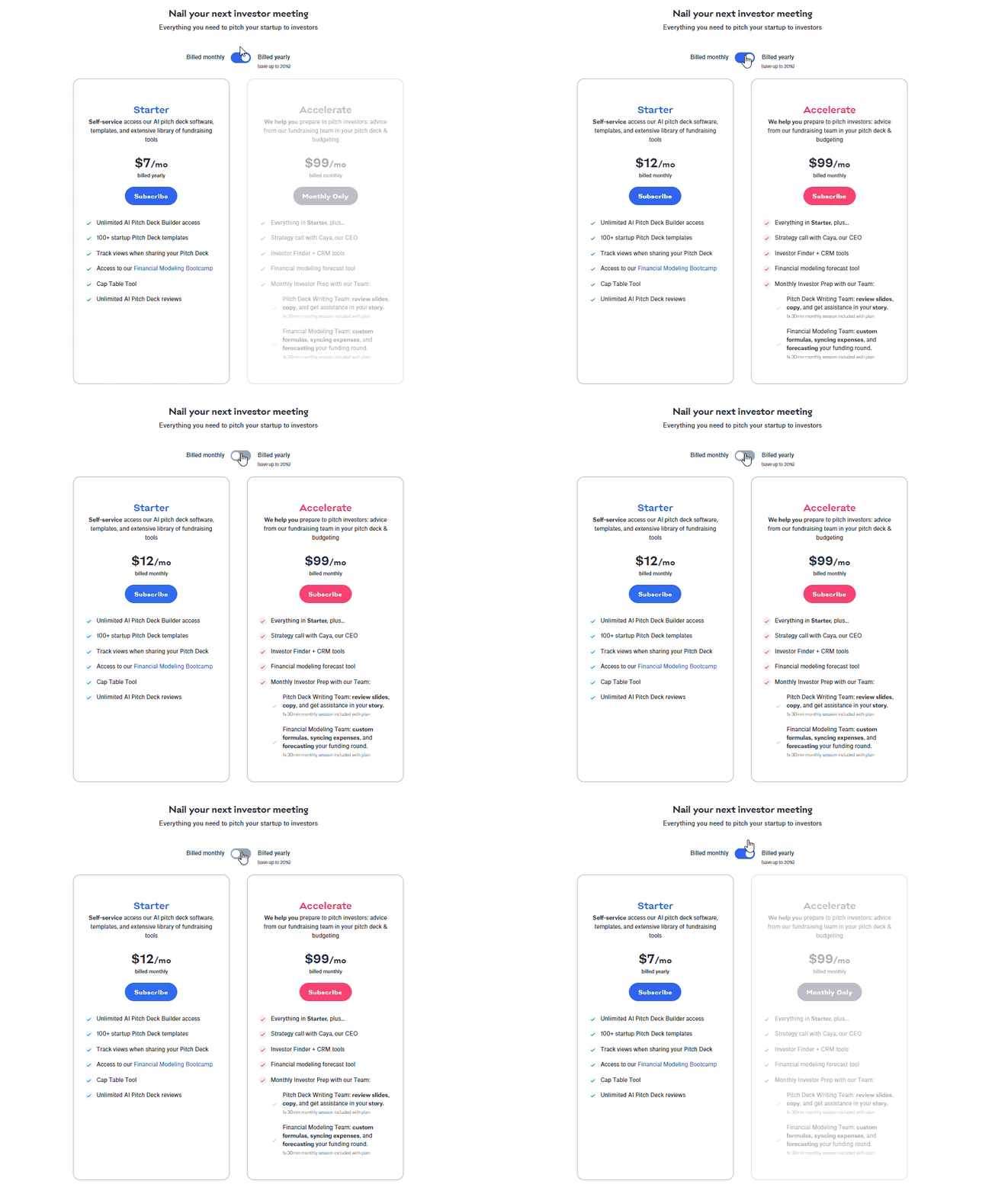
Accelerate is much more expensive. It costs $99 a month. You get the Starter features plus Investor Finder, CRM tools, financial forecasting, and a call with Slidebean’s CEO. The plan also gives you two 30-minute sessions each month, one for the pitch deck and one for financial modelling.
Design Tools, Templates and Branding
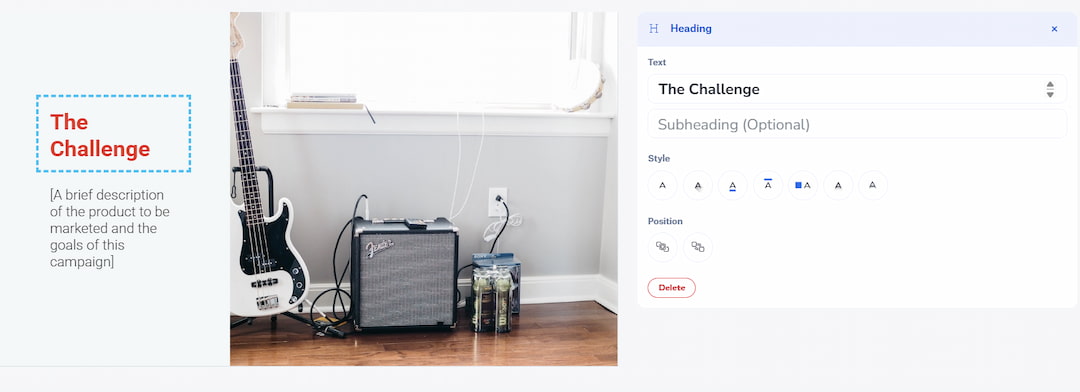
This is one of the bigger differences between Prezi vs Slidebean. Prezi has more templates and gives you more ways to change the design. It uses a zooming canvas, so you can move between topics instead of normal slides. Some templates look a bit old, but there are many options for business, school, and other topics. Prezi also has Unsplash photos and AI images. For AI presentation tools for education, Prezi has more options for lessons and school projects.
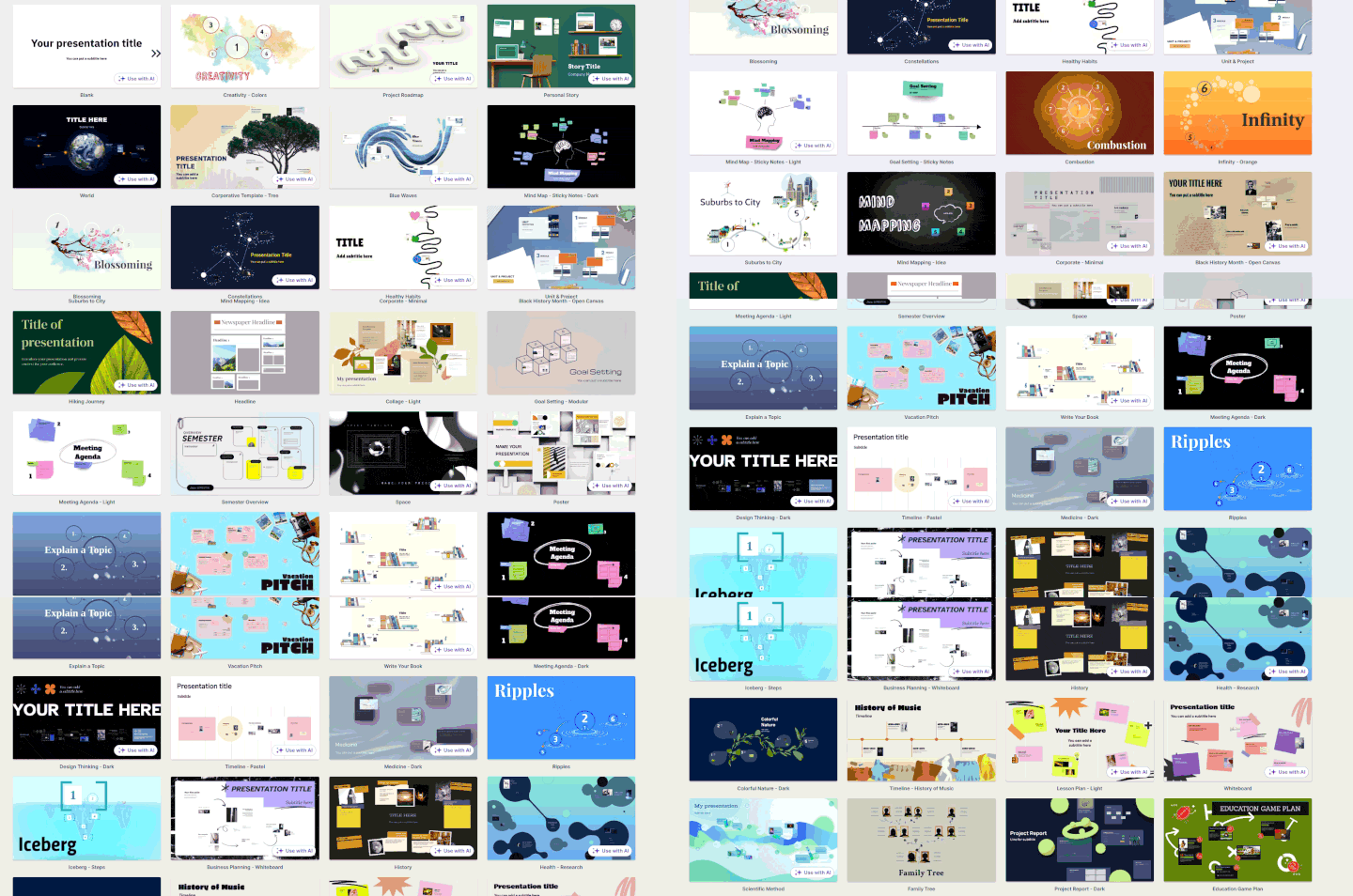
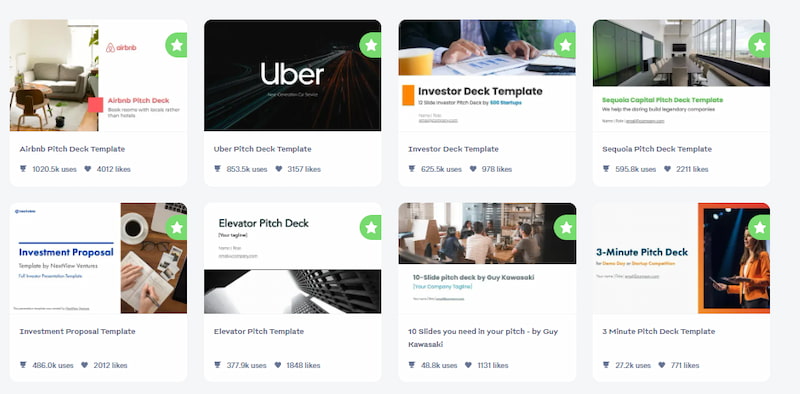
Slidebean is mainly made for business and startups. Most templates are for pitch decks, fundraising, and investor updates. The choice is smaller, and some designs look similar. The editor has photos, icons, and GIFs. You can also upload your own images. It is a simple setup if you mostly make pitch decks.
Prezi has more brand settings. Its Brand Kit lets teams save logos, colours, and fonts. You can upload TTF and OTF fonts and set different fonts for titles and other text. You can also add colours with HEX or RGB codes. For Prezi vs Slidebean for business, Prezi gives companies more control over how their presentations look.
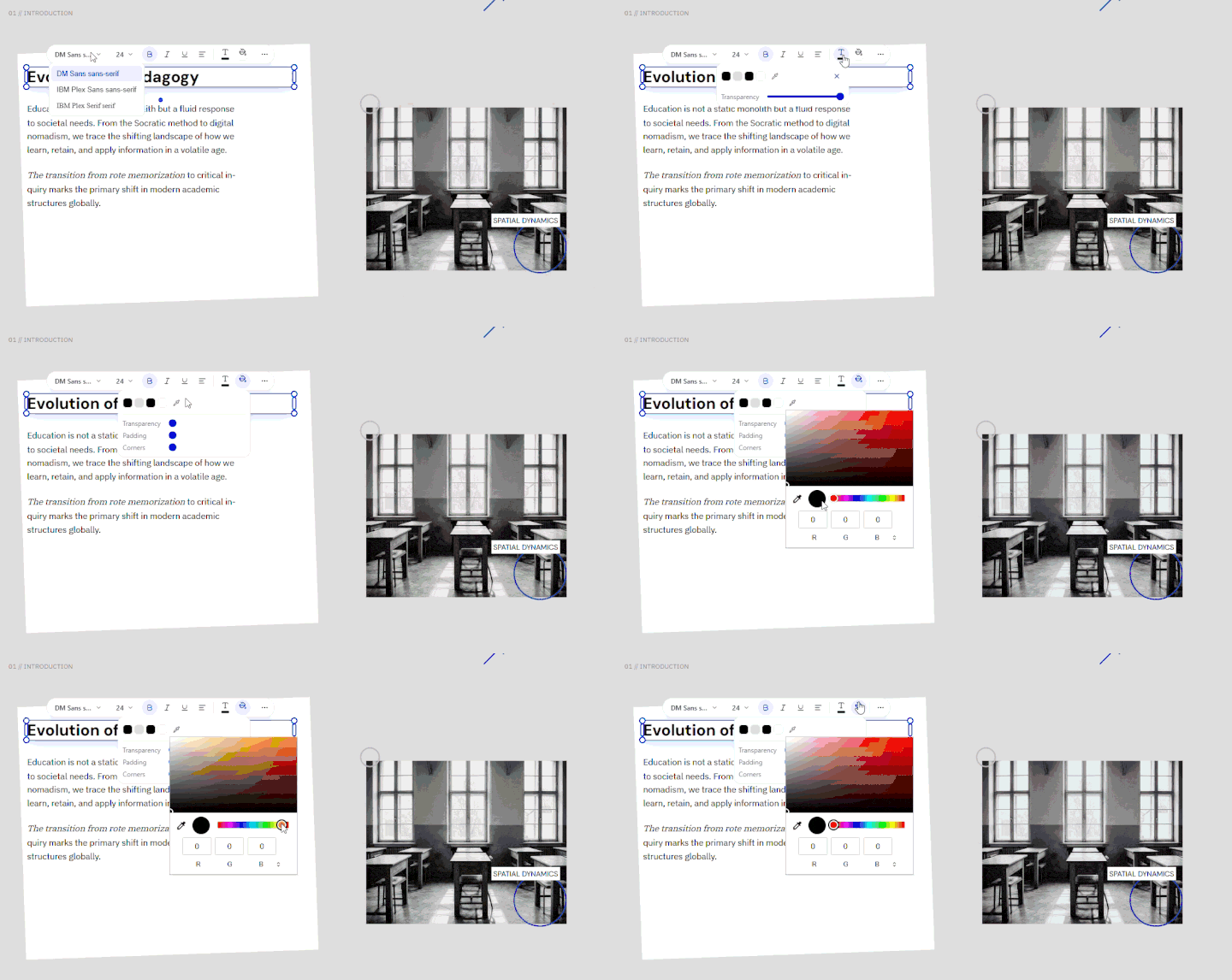
Slidebean uses Custom Themes. You can add your logo, colours, and fonts and use them across the deck. It can also get some brand details from a company website. You can change the Theme, Palette, or Font for the whole deck at once. There are fewer settings than in Prezi, but they are enough for most pitch decks.
Charts and Spreadsheet Tools
Numbers can take up most of a presentation when you are working with sales, budgets, forecasts, or survey results. A good chart makes these figures easier to read and compare. That is why data tools matter in a Slidebean vs Prezi comparison, especially for business reports, financial decks, and investor presentations.
Prezi
Prezi gives you a few ways to add data. You can type the numbers into a chart, paste them from a spreadsheet, or upload CSV, XLS, and XLSX files. In Prezi vs PPT, this is enough for most basic charts. Prezi Infographics can also link a chart to Google Sheets. Change the numbers in the sheet, and the chart can update too. There are more than 40 chart types. Excel formulas are a limit, though. Prezi reads the final values, not the formulas behind them.
Slidebean
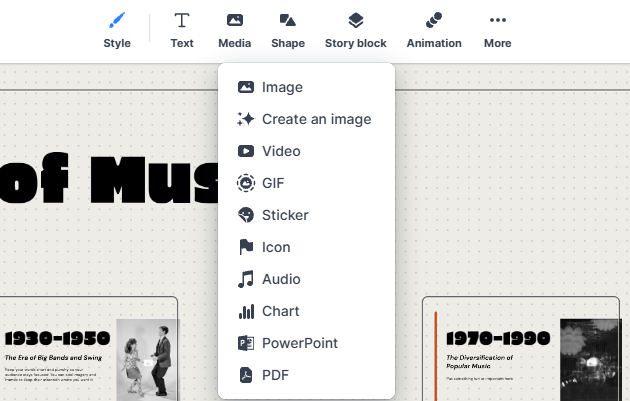
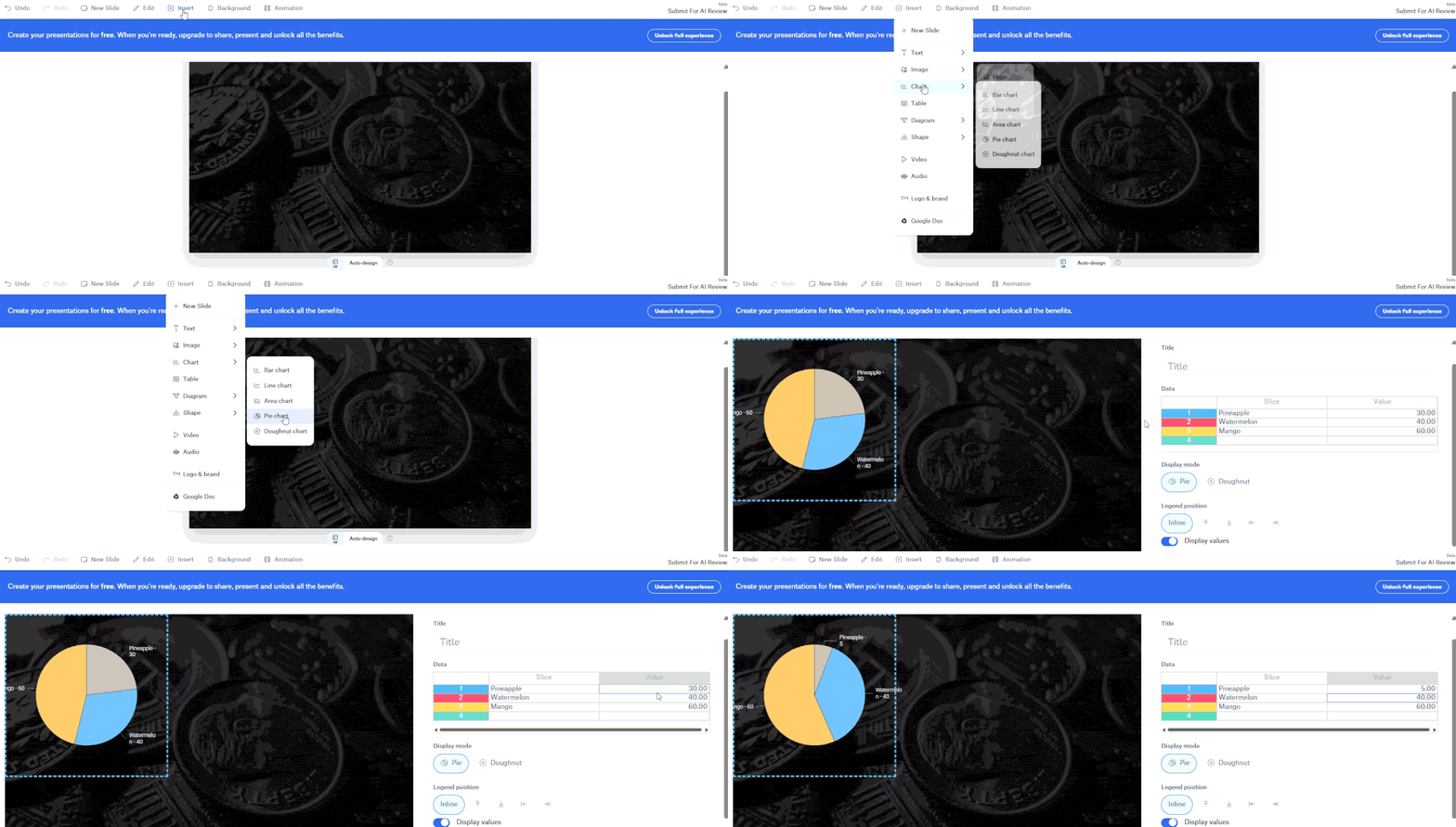
Slidebean has basic chart tools. You can add bar, line, and pie charts, as well as tables and timelines. You change the numbers in the editor. For an AI presentation maker for HR, this may be a problem if report data changes often. The current documentation does not show a live Excel or Google Sheets connection. Slidebean also has a separate tool for financial forecasts, costs, and staff data.
Prezi vs Slidebean: Real Presentation Test
To compare Prezi and Slidebean, we gave both the same task. Same topic, same files, same instructions. This keeps the test fair and makes the differences easier to spot. We then looked at the story each tool built, the slide layouts, how well they handled the source document, how long generation took, and how easy the first draft was to edit.
Narrative Logic
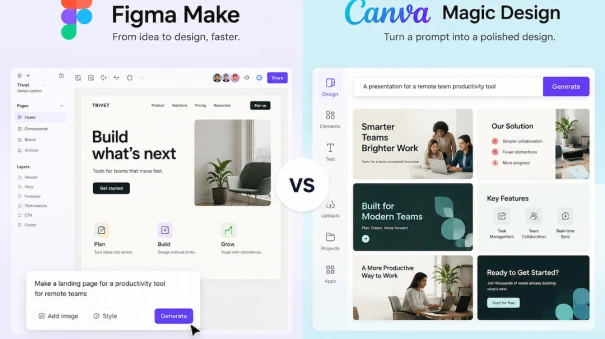
Prezi built the stronger story. The deck started with the main problem, moved through AI use cases, risks, and costs, then finished with the plan. That kind of content order matters in other AI tool comparisons too, including Figma Make vs Canva Magic Design. Slidebean covered the main points, but some slides felt disconnected. A few had to be moved before the deck made sense as one story.
Layout Quality
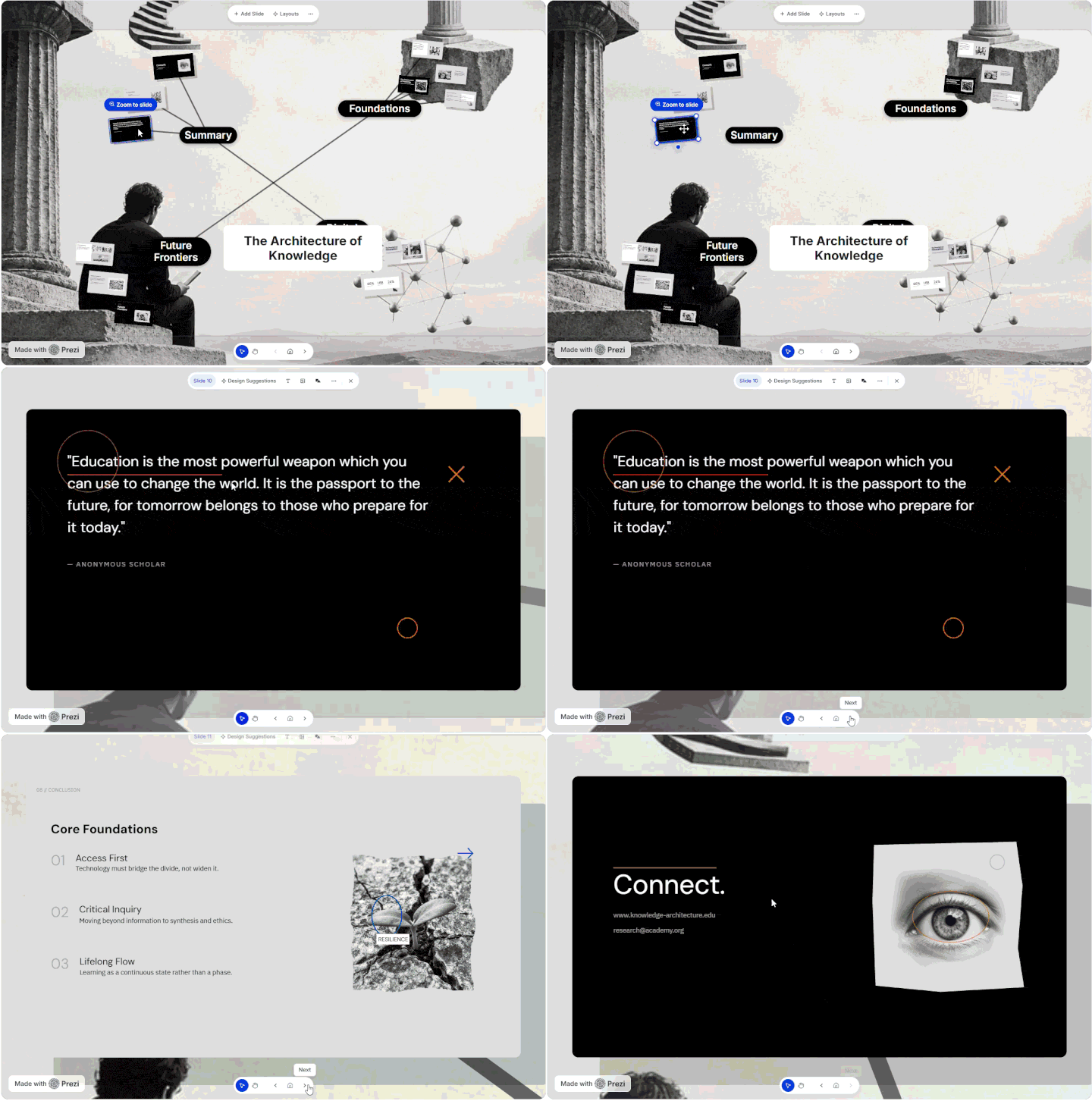
Side by side, the layout difference was clear. Prezi gave the text more room, so most slides were easy to read without much editing. A couple needed small fixes, mainly the images and text position. Slidebean repeated the same type of layout more often. Some slides were also packed with text. Those needed cutting down before they were ready to use.
Document Processing and Speed
Prezi did a good job with the source file. It found the main sections, kept most of the useful details, and built the slides fairly quickly. File handling is also worth checking in a Power Point vs Prezi test, since existing documents often form the base of a new deck. Slidebean was quick to generate its version, but longer sections caused trouble. Some details disappeared. Others ended up on slides where they didn’t really fit, which meant going back to the source file and fixing them manually.
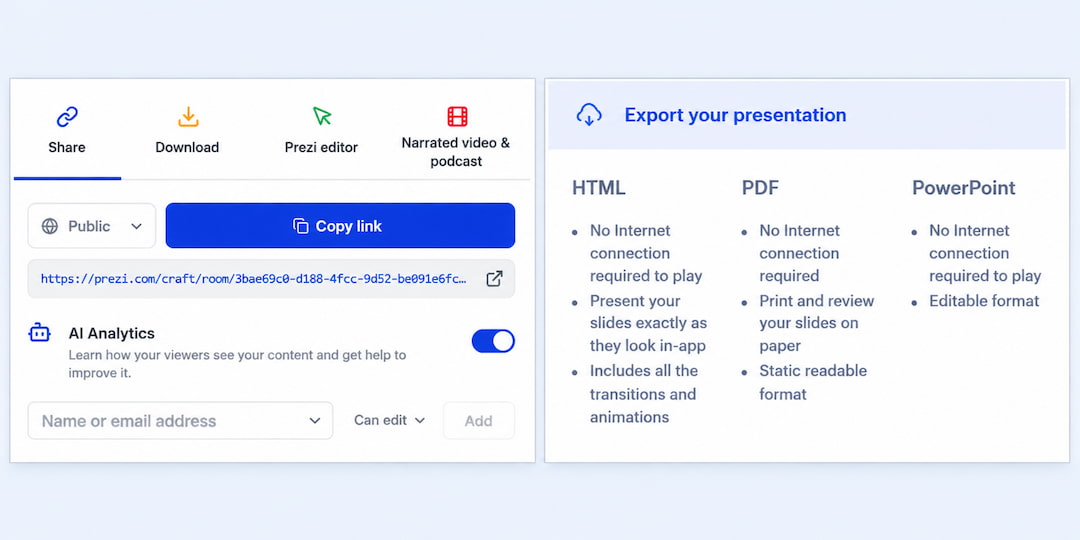
Editing Flexibility
Editing a weak slide was easier in Prezi. Text could be cut, images moved, and the layout changed without touching the rest of the deck. That level of control also matters in Beautiful vs Gamma, since AI rarely gets every detail right on the first try. Slidebean worked well for small changes. Replace an image or rewrite a heading and it was quick. Bigger layout changes took more work because the slides followed a more fixed structure.
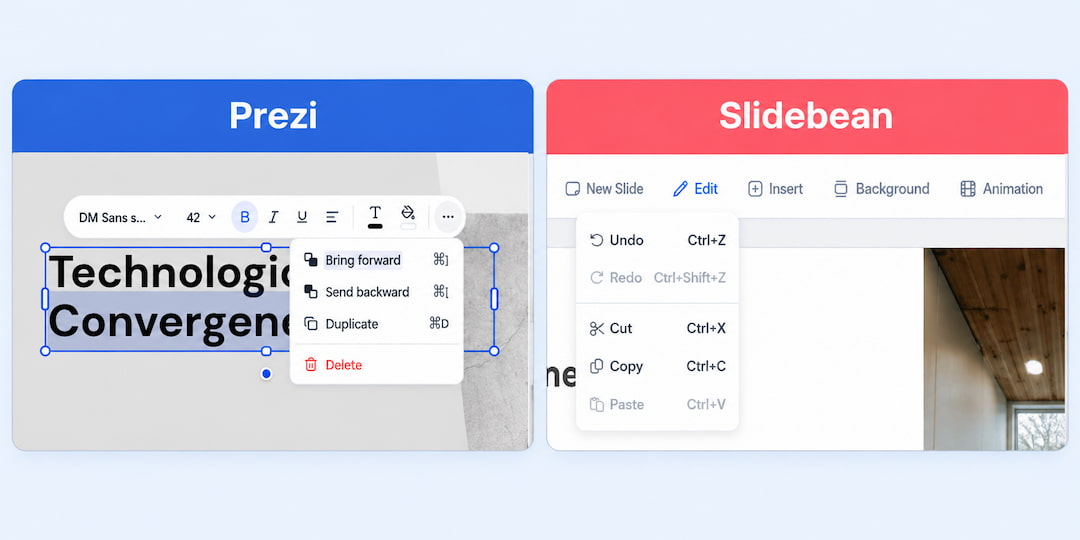
But if you want more control, Decksy works in a different way. It builds the story first, then works on the design. This helps the slides feel connected. Editing is simple too. If one slide looks wrong, you can regenerate only that slide in seconds. The rest of the deck stays the same.
Export Options and Compatibility
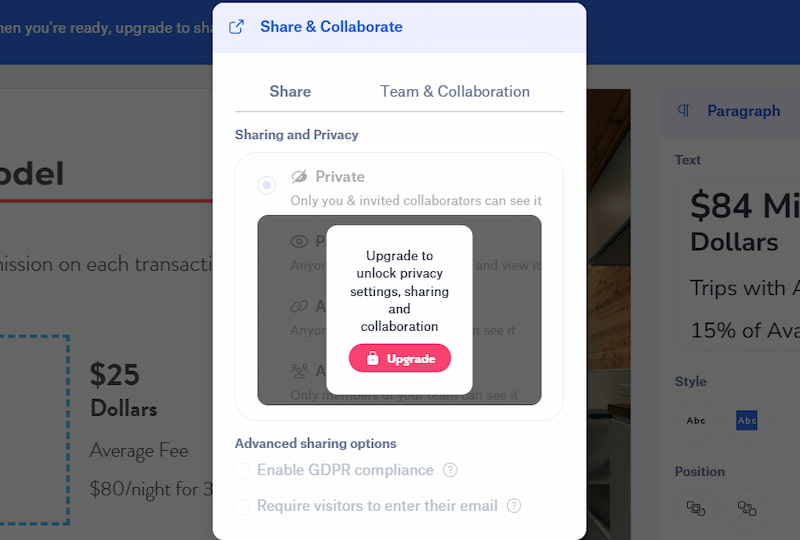
Slidebean lets paid users export decks as PDF, HTML, or PowerPoint. PPTX comes in static and editable versions. The editable file is not perfect. Charts and tables may become images, some fonts can change, and video or audio does not carry over. Slidebean also lets you share presentations online and work on them with other people.
Export is also worth checking in comparisons like Gamma AI vs Beautiful.ai vs Tome vs Plus AI. Prezi shows why. Its zooming format does not fit normal PowerPoint slides very well. Each frame becomes a fixed slide, so the zoom path and movement disappear. Some parts are also static, which leaves less room for edits. Prezi does have a desktop app for presenting offline.
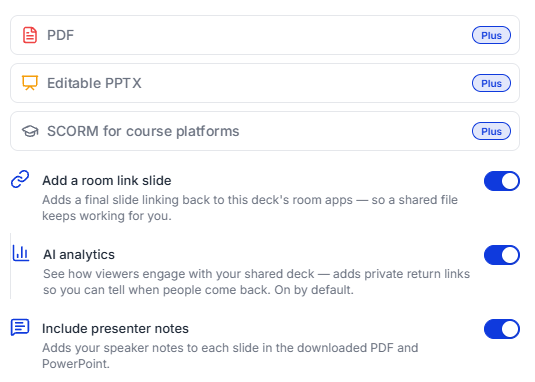
Decksy keeps more of the PPTX open for editing. Text boxes, images, shapes, and other parts stay separate. You can move them, delete them, or change the text in PowerPoint. The same file can also be opened in Google Slides, so you can keep working outside Decksy.
Another Way to Build AI Presentations
If Prezi feels too limited or Slidebean is too focused on pitch decks, Decksy AI is another choice. Export and editing are also important in Tome vs Gamma AI. With Decksy, you can start with a prompt, PDF, or Word file. It reads the content, finds the main points, and builds the slide order. If one slide does not work, you can regenerate only that slide.
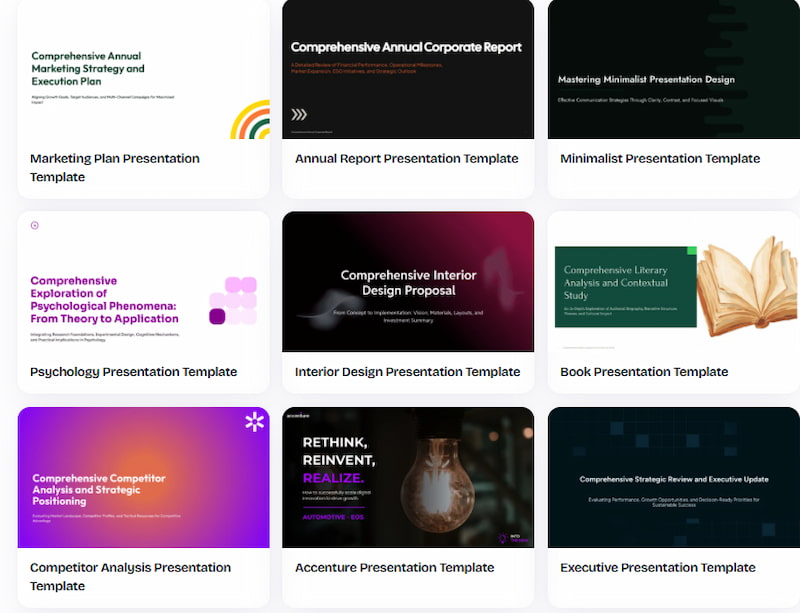
The PPTX stays editable. Text, images, and other elements stay separate, so you can change them in PowerPoint or Google Slides. You do not have to keep working in Decksy. The trial costs $2. After that, the annual plan costs $10 a month and includes full export rights.

Sarah Michelle Carter is the Chief Human Resources Officer at Decksy, and the person most likely to remind you that a company's culture is built in the small decisions, not the mission statement on the wall. She's pragmatic about AI — not an evangelist, not a skeptic, just someone who's watched it quietly clear out the repetitive parts of the job so there's more room for judgment and attention. Known for asking better questions than she answers, she's a go-to voice on culture, leadership, and where AI genuinely helps teams versus where it gets in the way.