Prezi vs. PowerPoint: Which Presentation Tool to Use This Year?
Tomorrow, you have a business presentation. You’ve got your ideas, but it seems more difficult to find the right tool. Is Prezi a good fit for its dynamic visual storytelling? Or should you just stick with PowerPoint’s familiar slides and editing tools?
In this Prezi vs PowerPoint guide, we’ll compare their features, pricing, AI tools, and export options. We’ll also look at where each platform fits best. The goal is simple: help you choose without wasting money.
| Feature | Prezi | PowerPoint |
| Best for | Visual storytelling and engaging talks | Business decks and structured presentations |
| Pricing | Free Basic plan; paid plans | Free web access options; paid Microsoft plans |
| AI quality | Prompt-based creation and visual storytelling | Copilot-assisted creation and editing |
| Document processing | Imports PDF, DOCX, and PPTX | Copilot supports eligible document-based workflows |
| Design | Zooming canvas and connected topics | Flexible slide layouts and themes |
| Charts | Editable charts and spreadsheet imports | Charts with Excel integration |
| Export types | PDF and eligible PPTX exports | PPTX, PDF, and additional formats |
| Editing | Canvas-based editing | Detailed slide-level editing |
| Best audience | Educators, speakers, and visual storytellers | Businesses, students, and established teams |
Prezi stands out through movement and visual connections. PowerPoint offers familiar editing and broader slide-based workflows. Both can make good presentations, but they serve different needs.
Prices, Free Plans, Packages & Target Audiences
Pricing matters when presentations become part of your routine. Both platforms offer ways to get started without buying everything. Their paid features, however, work differently. Let’s compare Prezi and PowerPoint in this respect.
Prezi Pricing & Plans
Prezi offers a Basic plan for users exploring its presentation tools. It allows you to create 5 projects free of charge. With a 14-day free trial period, you can explore all this platform’s benefits.
Paid plans add more features and greater flexibility. Its individual subscriptions include Standard, Plus, and Premium:
- The Standard plan is listed at 5 euros per month with annual billing.
- Plus costs 15 euros per month.
- Premium costs 25 euros per month on an annual billing plan.
These are published US prices and are subject to change. So, check Prezi’s pricing page before subscribing.
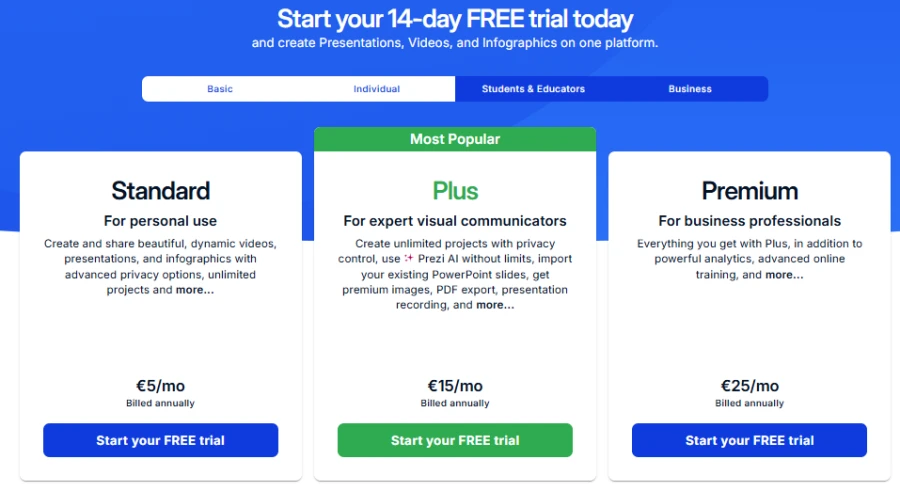
The Basic plan is free and suitable for students or occasional users trying out Zoom Canvas. Upgrade to Standard for unlimited projects and custom privacy settings.
The Plus tier is for presenters who present often and adds offline desktop access, PDF exports, presenter notes and higher AI limits. And finally, there is the Premium tier, aimed at professionals and providing detailed audience analytics and priority customer support.
Prezi makes sense for speakers and educators who do a lot of presentations. It also suits consultants explaining connected ideas. Casual users can start for free before deciding. Teams should check sharing and administration features first.
PowerPoint Pricing & Plans
You can buy PowerPoint either as a standalone product or as part of Microsoft 365. Basic presentation tasks are possible with free web access. Paid subscriptions give you more desktop and productivity features. Some plans also come with access to Copilot.
Microsoft 365 pricing varies by country and subscription. Business users might need licenses for AI features. See current pricing on Microsoft’s official plans.
PowerPoint is for professionals using Microsoft tools. It is effective for companies with established templates. It is also useful for coursework and group projects. This may be especially valuable to existing Microsoft 365 subscribers.
Where the Paywalls Show Up
Prezi has a few plan-limited features. AI access, privacy settings, and advanced options may be different.
PowerPoint also requires eligibility for advanced AI features. Some features need a particular Microsoft subscription or account settings.
| Consideration | Prezi | PowerPoint |
| Free access | Basic plan | Free web options |
| Paid access | Prezi subscriptions | Microsoft 365 or standalone purchase |
| AI availability | Depends on plan and credits | Depends on Copilot eligibility |
| Main appeal | Dynamic presentation style | Editing, compatibility, and Microsoft integration |
Still, if you need editable presentations, Decksy AI presentation generator offers another option. While native Google Slides exports can be locked behind expensive enterprise plans, Decksy keeps pricing simple. You can try it for $2, then pay $10 per month for full export rights.
So, neither tool is automatically the cheaper option. Compare your actual needs before upgrading. You may not need advanced AI for occasional decks.
Design Assets, Templates & Customization
Templates shape the first impression of a presentation. They also influence how easily people follow your message. Prezi and PowerPoint offer different approaches to visual design.
| Prezi | 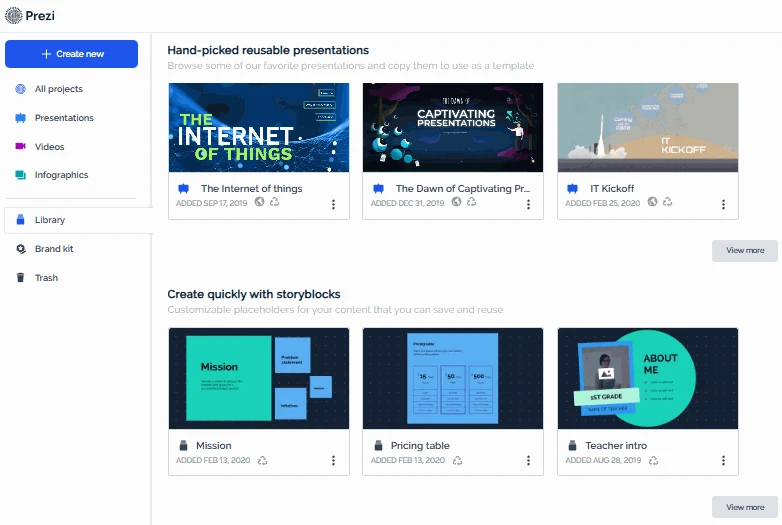 |
| PowerPoint | 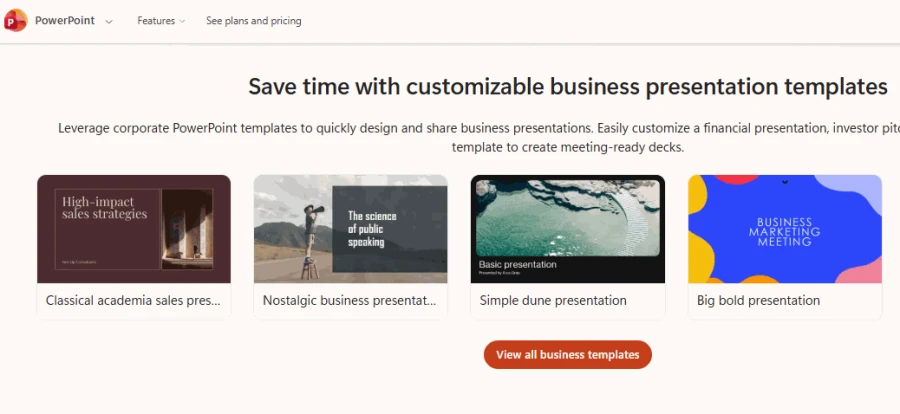 |
Prezi’s Visual Engine
Prezi builds presentations around a zoomable canvas. Instead of separate slides, viewers are exploring related topics. That gives a more graphical way to explain relationships.
Its templates are great for presentations with a clear visual journey. You can mix text, images, diagrams, and charts. Prezi AI is able to suggest arrangements and visual styles. Then, the user can polish the result in the editor.
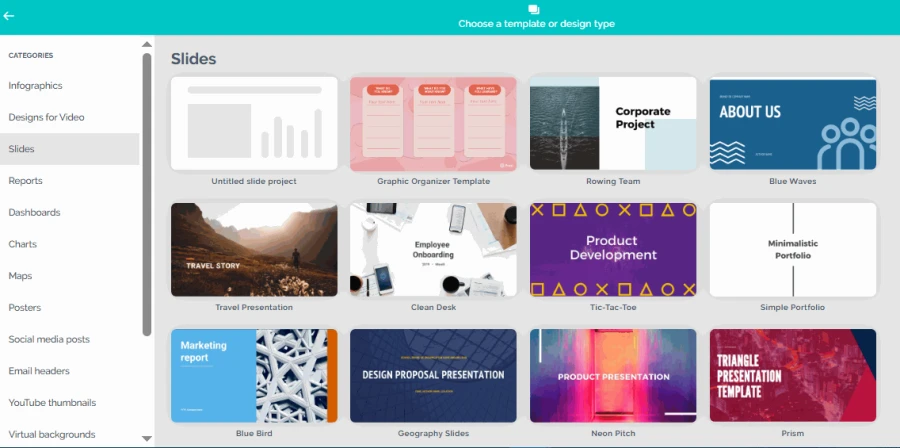
This approach is great for an AI presentation maker for real estate in terms of demonstrating the property’s features, locations, or market trends. But too much movement can be distracting. Some formal business decks also benefit from simpler layouts. Use zooming when it helps explain the subject.
PowerPoint’s Design Options
PowerPoint uses themes, layouts, and individual slides. Its templates cover business, education, marketing, and many other topics. You can also build your own branded templates.
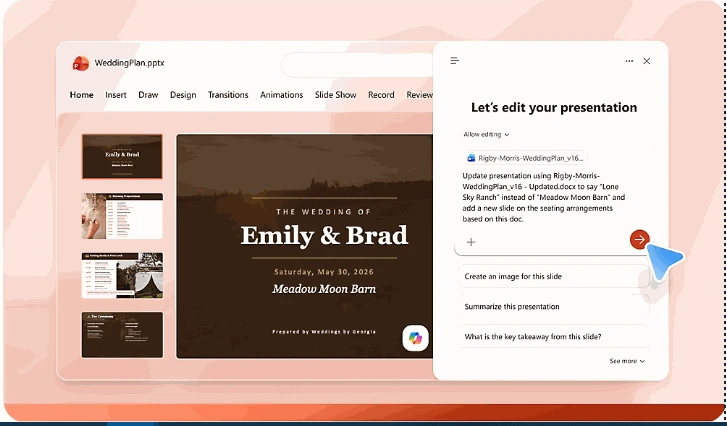
The editor offers fine control of slide elements. Fonts, spacing, colors, shapes, and images can be changed by users. Brand templates help teams keep a consistent look. This makes PowerPoint handy for repeated company presentations.
On the other hand, that flexibility can also mean more work. Misaligned objects can cause inconsistent slides. Some templates will feel dated if not specifically customized. But modern themes can create clean, professional decks.
Stock Assets, Fonts & Brand Consistency
Both tools support images and other visual elements. PowerPoint works with Microsoft’s design and media options. Users can also insert their own graphics. Prezi has visual assets that are suitable for its style of presentation.
Each workflow offers different font options and brand controls. PowerPoint has support for custom formatting and themes. Prezi lets users change colors and other visual styles. Before you make a selection, see the specific font-upload and brand-management specifications.
The biggest difference between Prezi vs. PPT is the visual build-up. Prezi emphasizes the shift between related ideas. PowerPoint offers you greater control over each slide. Neither approach alone will ensure better design.
Data Visualization, Charts & Spreadsheet Links
Business presentations often include numbers and performance data. These numbers can be made more easily understood using charts. The right tool should also be simple to update.
Prezi supports editable charts on its presentation canvas. Users can select chart types and edit their data. Supported spreadsheet file types are CSV, XLS and XLSX.
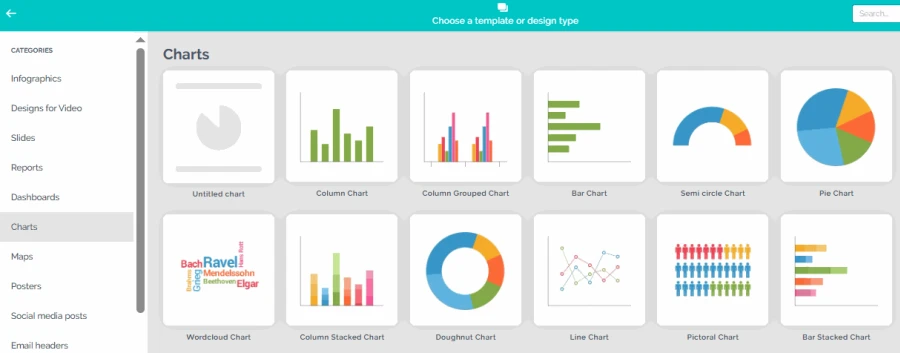
There are also a few Prezi Design projects that you can use to pull in live data. These integrations are dictated by the source and the plan.
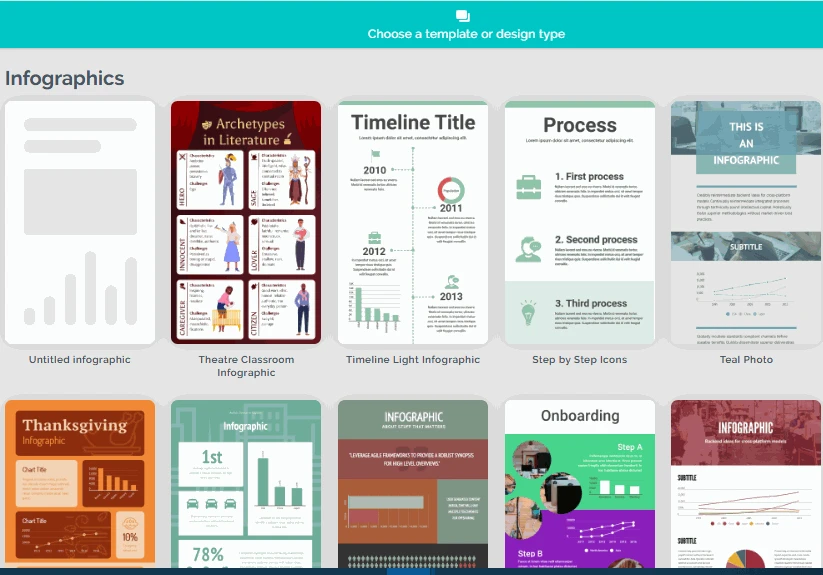
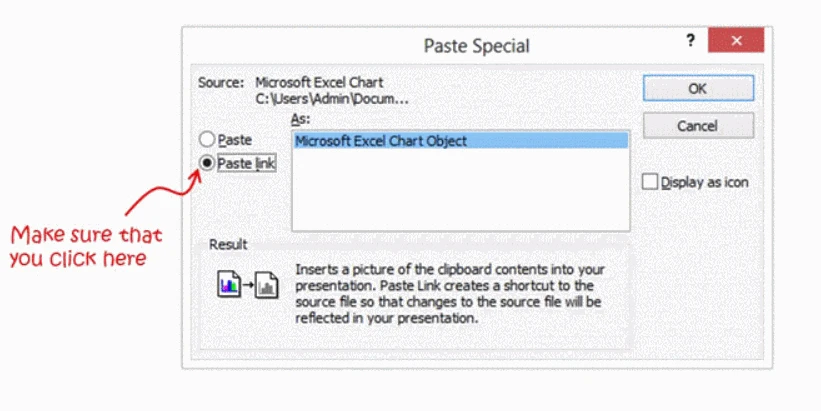
PowerPoint has chart tools and integrates with Excel. Users can create charts from tables and spreadsheets. Depending on your workflow, you can update linked data from Excel. This can help teams keep recurring financial reports.
| Data task | Prezi | PowerPoint |
| Build a chart | Available | Available |
| Edit chart data | Built-in editor | Built-in chart editing |
| Import spreadsheet data | CSV, XLS, and XLSX support | Excel-based workflows |
| Live data connections | Available for selected Prezi Design features | Supported through compatible Excel workflows |
| Best fit | Visual data storytelling | Detailed business reporting |
In this comparison, the handling of spreadsheets is worth mentioning. Teams that depend on Excel can be supported by PowerPoint. Prezi is effective as it can turn data into a bigger visual story.
Deep 1-to-1 Test
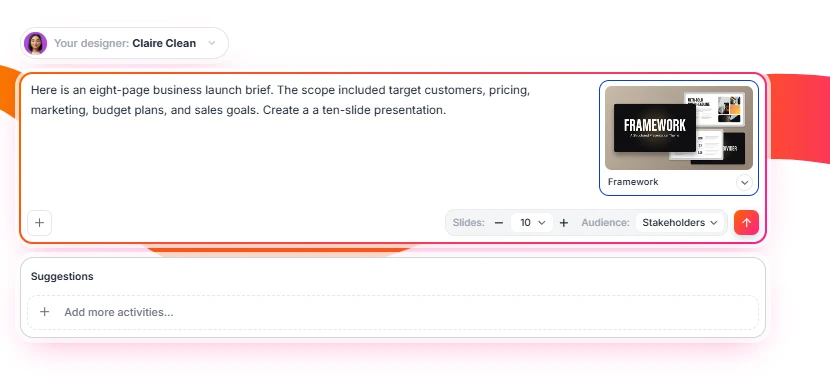
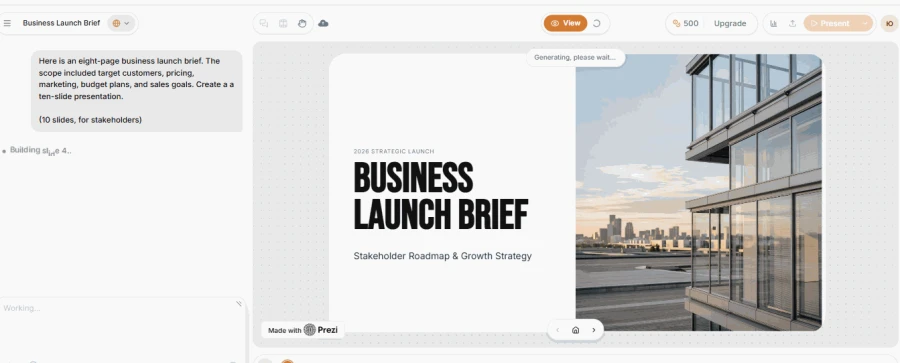
This is the most practical part of our Prezi vs. PowerPoint comparison. We used the same eight-page business launch brief. The scope included target customers, pricing, marketing, budget plans, and sales goals.
We asked each tool to create a ten-slide presentation. Then, we compared structure, design, document processing, and editing. We focused on practical differences and the revisions each deck needed.
Narrative Logic
Prezi turned the main ideas into a connected visual journey. The outline went from market opportunity to launch strategy. But there was no clear connection between price and sales objectives.
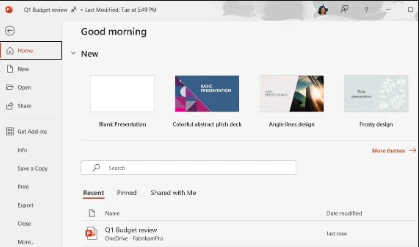
PowerPoint was more faithful to the headings in the source document. The main sections were easy to spot. But certain transitions seemed like a summary of the report.
Decksy put the brief together around the launch story. The opportunity was in pricing, marketing, and sales goals. This made the proposed next steps easier to understand.
🏆 Our Winner: Decksy
Layout Quality
Prezi made it easier to explore the relationships between launch stages. The zoomable canvas gave a unique look to the presentation. But budget details needed a simpler visual treatment.
PowerPoint employed familiar business information layouts. Tables and figures are budget- and sales-oriented. Some slides had problems with spacing and text placement.
Decksy has a visual hierarchy once the content is organized. There was more focus on the significant figures and strategy points. The layouts worked well for a business presentation heavy in source material.
🏆 Our Winner: Prezi
Document Processing
Prezi made an outline from the uploaded source. This allowed us to check the structure before making slides. Some of the original visuals had to be worked on more.
PowerPoint mimicked the main sections of the Word document. But figures, targets, and budget details had to be verified. We also looked for missing information.
Decksy is about taking existing documents and turning them into presentations. Its approach suits reports, briefs, and other source material. We checked whether the generated structure preserved important points.
The PowerPoint vs Prezi choice depends partly on source handling. Neither tool guarantees perfect transfer of every detail. So, always check important figures and content after generation.
🏆 Our Winner: Decksy
Editing Flexibility
Prezi lets us change topics, colors, and visual flow. But structural changes required another review.
PowerPoint gave us direct control of our text, charts, and tables. This made it easy to make accurate business edits. Still, some manual work was needed for layout corrections.
Decksy gives the possibility of regenerating individual slides. You can change one slide without needing to rebuild the whole deck. This approach also suits an AI presentation maker for students. Students can revise individual slides in research presentations and assignments.
🏆 Our Winner: PowerPoint
Test Summary
| Category | Prezi | PowerPoint | Decksy |
| Story structure | ⭐⭐⭐⭐☆ | ⭐⭐⭐⭐☆ | ⭐⭐⭐⭐⭐ |
| Slide design | ⭐⭐⭐⭐⭐ | ⭐⭐⭐⭐☆ | ⭐⭐⭐⭐☆ |
| Document processing | ⭐⭐⭐⭐☆ | ⭐⭐⭐⭐☆ | ⭐⭐⭐⭐⭐ |
| Business layouts | ⭐⭐⭐⭐☆ | ⭐⭐⭐⭐⭐ | ⭐⭐⭐⭐☆ |
| Editing freedom | ⭐⭐⭐⭐☆ | ⭐⭐⭐⭐⭐ | ⭐⭐⭐⭐☆ |
Decksy AI’s Different Approach
Prezi and PowerPoint offer different ways to create presentations. Decksy starts by organizing the source content first.
We focused on how the brief’s main ideas shaped the deck. The workflow also supports individual slide regeneration. You can change a slide without rebuilding the entire page. This is good for strategy documents, reports, and meeting notes.
Export Options & Ecosystem Compatibility
You’ll want to export when other people need to edit your presentation. Prezi exports to PDF and PowerPoint, but zoom effects may not be fully transferred. PowerPoint can work with editable PPTX files and can export to PDF as well. Check the fonts, charts, animation, and text boxes after export. Some elements may have to be modified manually.
| Export evaluation | Prezi | PowerPoint (PPT) |
| Editable PPTX | Available on qualifying plans | Original form |
| Export to PDF | Available | Available |
| Zooming effects | Not completely preserved in static PPTX | Not relevant |
| Font uniformity | Check after conversion | Check across devices |
| Offline presentation | Depends on the plan and setup | Supported by desktop apps |
| Best for | Sharing a regular version | Editing and distribution |
For PowerPoint vs. Prezi, export needs can decide the outcome. Prezi works well when presenting within its own format. PowerPoint suits teams exchanging editable presentation files. Always test a sample export before important meetings.
The Smart Alternatives
Sometimes neither tool matches your preferred workflow. You might want more interaction than PowerPoint offers. Or Prezi’s visual movement might not suit your audience. Another option may solve those problems more directly.
Genially for Interactive Content
Genially focuses on interactive presentations and visual learning materials. Users can plug in clickable elements and experiences. This can be useful for teaching and training.
A Genially vs Prezi comparison comes down to the experience. Genially emphasizes interaction within visual content. Prezi emphasizes movement between connected topics. Choose Genially for interactive materials. Choose Prezi when the visual journey matters more.
Figma Slides and Google Slides
Figma Slides suits teams already working in Figma. It links presentation work in a design-oriented environment. Google Slides is all about collaborative editing in the browser.
When you’re weighing up Figma Slides vs. Google Slides, consider your team. For design-heavy workflows, Figma may be better. Google Slides is better for teams on Google Workspace. Both offer alternatives to doing presentation work on a desktop.
Prezi and Google Slides
Google Slides has a familiar, browser-based slide editor. Teams can collaborate and share presentations online. It also allows for simple classroom and business workflows.
The Prezi vs. Google Slides choice depends on your presentation style. Prezi is famous for being the zooming canvas. Google Slides embraces familiar slides and collaborative editing.
Decksy AI for Document-First Presentations
Decksy AI offers another approach to presentation creation. Instead of starting with a blank slide, it starts with source material. You can upload files in PDF, Word, PowerPoint, Excel, Text, and Markdown formats. It then takes that content and turns it into presentation-ready slides.
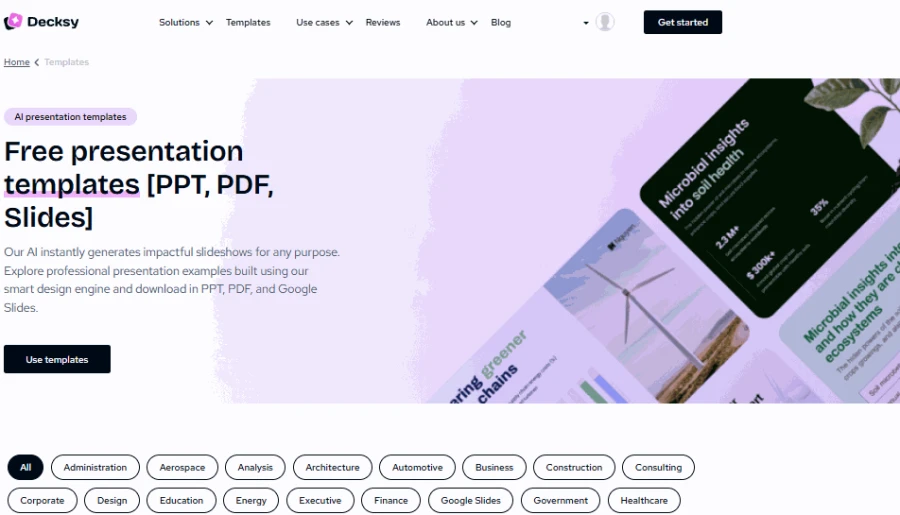
This process works for reports and meeting notes. It is also useful for research papers and business plans. You can change the tone, audience, and visual style. Decksy also provides targeted revision at the slide level.
Its pricing offers a $2 trial and a $10 monthly plan. The full plan includes export access, according to its stated offer. This may suit users who create decks from existing documents.
| Decksy’s approach differs from Prezi’s visual canvas. It also differs from PowerPoint’s traditional editing workflow. The focus is on organizing source material before applying design. That can help when the story matters more than animation. |
For readers seeking an alternative to Prezi and PowerPoint, Decksy may be worth testing. It focuses on source-first creation and editable PowerPoint output. Check the exported file before using it in Google Slides. Compatibility varies depending on the individual elements and formatting.
Final Verdict & Recommendations
They are both good tools for making great presentations. But they serve different purposes. Prezi is an alternative for presenting related ideas. PowerPoint delivers familiar editing and broad compatibility.
So, which is better, Prezi or PowerPoint? The answer depends on your work. Choose according to your content, audience, and export needs.
✅ Choose Prezi if:
- You want dynamic, visual storytelling.
- Your topics connect through a bigger idea.
- You plan to present live and want movement to guide attention.
- You like reviewing an AI-generated outline before you start designing.
- You rarely need to preserve every effect in PPTX exports.
✅ Choose PowerPoint if:
- You do old-school corporate presentations.
- You need good control of individual slides.
- You work with Excel charts and tables regularly.
- Your team is on Microsoft 365.
- You exchange editable PPTX files with colleagues.
✅ Choose Decksy AI if:
- You already have reports or documents to present.
- You need a structured first draft based on the source material.
- You want to revise individual slides without rebuilding everything.
- You need editable PowerPoint exports.
- You prefer a content-first workflow over a blank canvas.
When choosing between Prezi vs. PowerPoint for business, consider your daily needs. Prezi is great for telling visual stories and explaining complex ideas. PowerPoint fits well for reports, budgets, and corporate decks. You can also streamline your workflow with existing templates.
There’s no universal winner in this debate. Your choice is all about how you build, edit, and share presentations. For document-heavy projects, there’s another option: Decksy AI. It makes your current files into structured, editable decks. Go with Prezi for dynamic graphics, PowerPoint for detailed editing, or Decksy for document-first creation.

On decksyai.com, where people come looking for clarity wrapped in a bit of personality, Julia leans into the details that make a message land: the pause between two ideas, the subtle shift in spacing, the moment a visual finally clicks.