How to End a Presentation Properly
- End with a clear message and next steps for your audience.
- Follow a simple structure: recap, Q&A, and a quick closing.
- It is better to keep your last slide simple, concentrating on the main points and a clear call to action.
- A clear call to action shows your audience what to do next.
- Do Q&A before closing to stay in control.
Concluding a presentation is not always easy. Even if your message is excellent, the conclusion is usually clumsy or feels hastily written. If you want to confidently reach the end of your presentation, this page has some simple suggestions and phrases to help you.
Here you will discover practical solutions to make your closing slide strong and clear, whether you’re worried about what to say at the end, how to handle the Q&A, or how to ensure your audience knows what to do next.
What Makes a Good Presentation Conclusion Slide?
What you don’t realise is how crucial the last few seconds of your presentation are. Typically, people tend to remember the overall impression and key points rather than the exact details or numbers. This is why it’s crucial to have a summary and a slide to wrap things up.
It gets across your main point, helps people remember it, and gives them something concrete to take away from your speech. The slide should serve as a concise summary of your presentation, something that the audience can associate with what they remember from your talk.
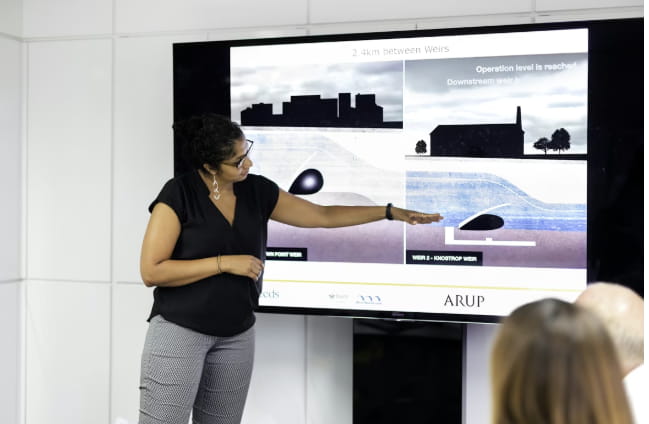
Look at the final slides of the presentations that you have seen and liked. Most of the time, they are straightforward and concentrate on only one concept. Such slides assist the audience in grasping your primary argument and it becoming their memory. The aim is for the slide to act as a brief refresher of your communication. In case someone comes across it later, they ought to recall the gist and the reason for it being significant. Continue being transparent and concentrating on the main idea, without any additional information that might divert attention away from it.
What Are the Types of Presentation Conclusions?
There is no ideal method of closure. Various events, listeners, presentation types, and various points you wish to emphasize all require different ideas to create impactful presentations. Depending on your purpose and situation, you can use one of the endings below alone or combine two of them.
Review and Synopsis
Updates to projects, student work, and business topics heavy on data benefit greatly from this format, in which you concisely restate the issue, your main points, and your recommendation. Short and sweet: just two or three main points will do; now is not the time to go over the whole presentation again.
Take Action Now
It is of the utmost importance to demonstrate to the audience the way forward after the key points have been summed up. The following should take center stage in your presentation:
- Your desired conclusion for the audience;
- What you would like them to do first or next;
- Specifics regarding the timing and manner in which that need to be fulfilled.
Your message will be more easily understood and the audience will know precisely what to do if you follow this format. If you want your audience to do something after listening to your presentation, this is the way to go. It works well for investor pitches, sales decks, and internal proposals.
Influential Phrase
Conclude by quoting a brief but impactful passage that supports your argument. It’s an excellent method of motivating your team, encouraging a paradigm shift, or connecting your message to broader themes like innovation or leadership. Make sure it directly relates to your main idea in your words and keep it brief—just one line.
Question to Spark Thought
Instead of just leaving it at that, leave the audience thinking about it by asking a question that keeps them engaged for a little longer. For example, “What would happen if we don’t do anything about this within 90 days?” or “How would your team change if you started implementing this next month?” Such a style works well when you want to challenge people’s preconceived notions and encourage them to keep thinking about the topic long after the meeting has ended, not just while the slides are being shown.
Startling Figure or Data Point
An effective way to conclude a PowerPoint presentation is with a single powerful statistic that captures the essence of the opportunity or stakes.
For instance, “Each week of delay costs us about 42,000.” or “With this process, teams cut rework by 50%.” With just one tangible example like this, the message becomes more tangible and pressing, rather than theoretical and nebulous.
Motivating Final Slide
Make a brief, upbeat illustration of the good that will happen if people implement your suggestion in this final slide. So that you can command the room with assurance and make an indelible impression, you condense the whole thing into a few sentences: the issue, the solution, and the desired future state. Keynote speeches, strategy launches, and all-staff meetings are prime examples of when this is effective.
Funny Remarks
Keeping eye contact while saying it helps create an emotional connection, especially when it flows organically from your story or examples. This method is suitable for less stuffy corporate situations, student presentations, and team updates. Nevertheless, maintain a light tone in board meetings where the stakes are high.
13 Tips on How to End a Presentation the Right Way

If you want your final presentation to go off without a hitch, follow these 13 tried-and-true tips. You won’t have to worry about winging it or missing a beat because they will walk you through the process of planning your presentation. Make use of them as a reminder before each presentation to maintain a confident, clear, and memorable close.
1. Return to Where You Started
Summarising your speech effectively requires returning to the beginning of the story, re-presenting the first picture, or answering the first question. This completes the circle and gives the audience a well-rounded impression of the presentation, especially if it rehashes an interesting story.
2. Get Your “One Big Idea” Out There!
Put your main point at the end of the work in a single, brief sentence—something like “If you remember one thing today, let it be this…”—and put it near the beginning. Because of this, your main point will be simple to articulate, convey, and build upon in subsequent discussions.
3. Create an Easy-to-See Visual Overview
There should be only one purpose for your final slide: to make it easy for people to take action and to remind them of what matters. Not only is it the last visual your audience will see, but it’s also frequently the first thing they’ll save to their computer. Minimalist and functional is key. Make sure to include:
- Include the main points in two or four brief bullet points.
- An immediate course of action
- Identity, email, and/or URL
4. Apply the Trilogy
Break down your summary into three easy categories: current situation, desired outcome, and the path to get there (also known as problem, options, and recommendation). For a more streamlined and intuitive structure, repeat the three labels at the start, middle, and end.
5. Be Clear in Your Request for Action
Suggest concrete actions instead of meaningless idle chatter like “Let’s think about this” or “Please decide by Friday.” This clarifies everything for your audience and gives them a sense of when things need to be done. Make sure people notice and act upon this by including the identical call to action on your summary slide.
6. Construct a Close-End Q&A
Instead of viewing the Q&A as an independent component of your presentation, work it into your closing remarks. Instead of drifting aimlessly after the Q&A, you can maintain command of the message by carefully planning the presentation’s flow all the way to the end. A straightforward framework to adhere to is: A brief review; Question and answer session (“Before I wrap up, I’d like to take a few questions and then I’ll share one last point.”) followed by a brief (20-30 second) concluding statement.
7. Bring Your Own “Starter Question”
Asking, “Which part would be hardest to apply in your team?” or “What’s one risk you see if we choose this plan?” can help break the ice if no one wants to go first. It gets everyone in the mood, gets them talking, and usually leads to a better discussion if you let them talk for a little before you share.
8. Write the Last Words
Although it is not required to have a complete script of the entire speech, it can be helpful to have a few lines prepared for the end in case anxiety or rambling take over. Capture the final two or three sentences to:
Maintain an assertive posture right up until the finish. Hold off on gathering your belongings until you finish talking. In addition to helping your listeners retain your key points, this is also a good way to restate your request or suggestion and signal the end of your presentation. Stay calm and make eye contact with those around you instead of fidgeting with your notes or laptop. Maintaining an open and consistent body language will help your audience perceive you differently, regardless of how anxious you may be on the inside. The message that will be conveyed is that you are calm and collected.

10. Tailor Your Ending for Executives
For senior leaders, clearly linking your summary to business outcomes is crucial when you create a business presentation. Determine the exact decision that needs to be made and explain what will happen if nothing is changed. They prefer succinctness over in-depth analysis, especially towards the end.
11. Modify for Use in Slide Decks and Online Presentations
Be sure to include a descriptive headline, such as “Next step: Approve 90-day pilot,” and a main link or QR code in your finalised Zoom or shared deck PowerPoint presentation. Add a short written close that restates your call to action to make it easy for your online audience to go from listening to taking action with a single tap or click.
12. Use Images to Back Up Your Claims
When compared to a PowerPoint presentation that is overly complicated, the impact and effectiveness of a single image, icon, or small diagram are far greater. Avoid using complicated charts at the last minute in favour of simpler ones; use visual aids that are easy to understand at a glance and solicit audience participation.
13. Create Your Very Own Final Checklist
You can avoid wasting time and energy starting from scratch for all of your talks by creating a simple checklist. Put it in your presentation or notes file. Feel free to make changes to it as you become better at concluding presentations. Ensure that you incorporate:
- The idea expressed in just one phrase
- These are the three most important things:
- A brief summary and an action request are included on the final slide.
- Last chance for questions
- Those last three or four sentences
- Preventing Essential Mistakes
In order to end your talk effectively, avoid these common mistakes. A well-crafted presentation can be undone by not giving enough time to each slide, making the last slide too crowded, or letting the Q&A turn off topic. You can overcome these challenges and succeed by keeping the following in mind:
- Saying “That’s it” as you show your final slide can give the impression that you’re trying to rush things along. Notify the audience that your presentation is winding down.
- Reiterating earlier arguments in the final paragraph: Simply restate. Avoid cramming in last-minute slides or suggestions.
- Maximise the impact of your final slide with only a “Thank you” screen. It should support your message rather than just show a logo.
- Too much text on the last slide makes it hard to read and understand. Simplicity is key.
- Delegating control to Q&A: You need to step up and assume leadership once the questions are finished.

Expressions for a Great Presentation Closing
When wrapping up a presentation, it’s best to use clear, simple phrases rather than flowery language. The following is a simple table with good and bad examples to help you with the many possible situations that may emerge while writing your conclusion:
| Situation | Good Example | Bad Example |
| Finishing your talk | “I’m now coming to the end presentation.” | “I’m almost done.” |
| Summarizing your points | “Let’s quickly recap the three main takeaways.” | “Let me just repeat everything I said.” |
| Introducing a CTA | “Here’s what I’d like you to do next.” | “I don’t know what happens next, but something should.” |
| Moving into Q&A | “I’ll pause here for questions, then I’ll close with a brief final thought.” | “Ask anything, I guess.” |
| Closing after Q&A | “Thank you for the questions. Let me end with one last reminder.” | “Okay, I’m done. Thanks for listening.” |
Feeling Uncertain About Closing a Presentation? We Can Take Care of It!
Is there something you haven’t thought of to end your presentation in a polished and professional manner? Someone is here to help; you don’t have to face this alone. With the help of an intelligent AI slideshow generator like Decksy, you can quickly transform your ideas into a well-structured narrative with a satisfying conclusion.
The end result will be a streamlined, brand-consistent, and user-friendly presentation with slides that look great both when viewed in person and when exported as a PDF. Simply provide the knowledge, and the AI will create an engaging and effective deck for you, saving you time and money.
FAQ
Am I Allowed to Interject Questions Before the Presentation Ends?
Yes. Asking questions demonstrates interest and allows you to elaborate on any points. Rephrase your main point and lay out the following steps in the few minutes following the Q&A.
Would a Q&A be a good way to wrap up the presentation?
Moving the question and answer session up in the presentation is the way to go. Give this structure a go: brief summary, questions and answers, and then a brief conclusion. You will then be responsible for finalising it.
How Make My Presentation’s Last Slide More Impressive?
A compelling presentation becomes actionable with the help of a call to action. Whatever your audience needs to do next—approve, test, sign up, share, or make a change—is clearly communicated. You can even generate a PowerPoint presentation with AI and target the most confident-looking person in the room to help encourage others to follow suit.
What Info Ought to Be on My Final Slide?
Keep it simple: just include your name, a contact or website, one clear next step, and two or three important takeaways. In case you are creating conclusion slide templates, don’t forget that it should be legible not only on a big screen but also in a phone screenshot.

On decksyai.com, where people come looking for clarity wrapped in a bit of personality, Julia leans into the details that make a message land: the pause between two ideas, the subtle shift in spacing, the moment a visual finally clicks.