What is the 5/5/5 Rule in PowerPoint: Tips for Audience Engagement
- 5/5/5 rule: no more than five words in one line, no more than five lines on the slide, no more than five successive text-heavy slides.
- The technique regulates the amount of information that the listener takes in while a person is speaking.
- Ideal for conference talks, educational sessions, and business/corporate presentations.
- Common mistakes are following the rule too strictly, oversimplifying complex phrases, or using it in all cases.
- The 5/5/5 rule is more about minimalism compared to the 6x6 rule and the 7x7 rule.
Slides that overwhelm their audience by packing too much text onto each screen and diluting their message are a common problem in PowerPoint presentations. A practical solution is offered by the 5/5/5 rule in PowerPoint, a guideline designed to keep the slides looking clean, readable, and focused. This approach to creating PowerPoint presentations helps in creating slides that make the audience stay focused on the core message rather than reading dense content on the screen.
This article explains the 5/5/5 rule in PowerPoint, why it improves audience engagement, and how to use it in a big presentation without sacrificing clarity. We will also review common mistakes, discuss certain slide practices, and compare this rule in PowerPoint with other presentation frameworks. For teams needing professional support, an AI presentation maker like Decksy can help instantly implement these principles effectively.
What is the 5/5/5 Rule in PowerPoint?
The 5/5/5 rule is a design guide that says PowerPoint presentations should never use more than 5 words per single line, 5 lines of text per single slide, and 5 consecutive slides with heavy text. Together, those boundaries provide a simple way to design slides that facilitate an effective presentation speech instead of being a distraction.
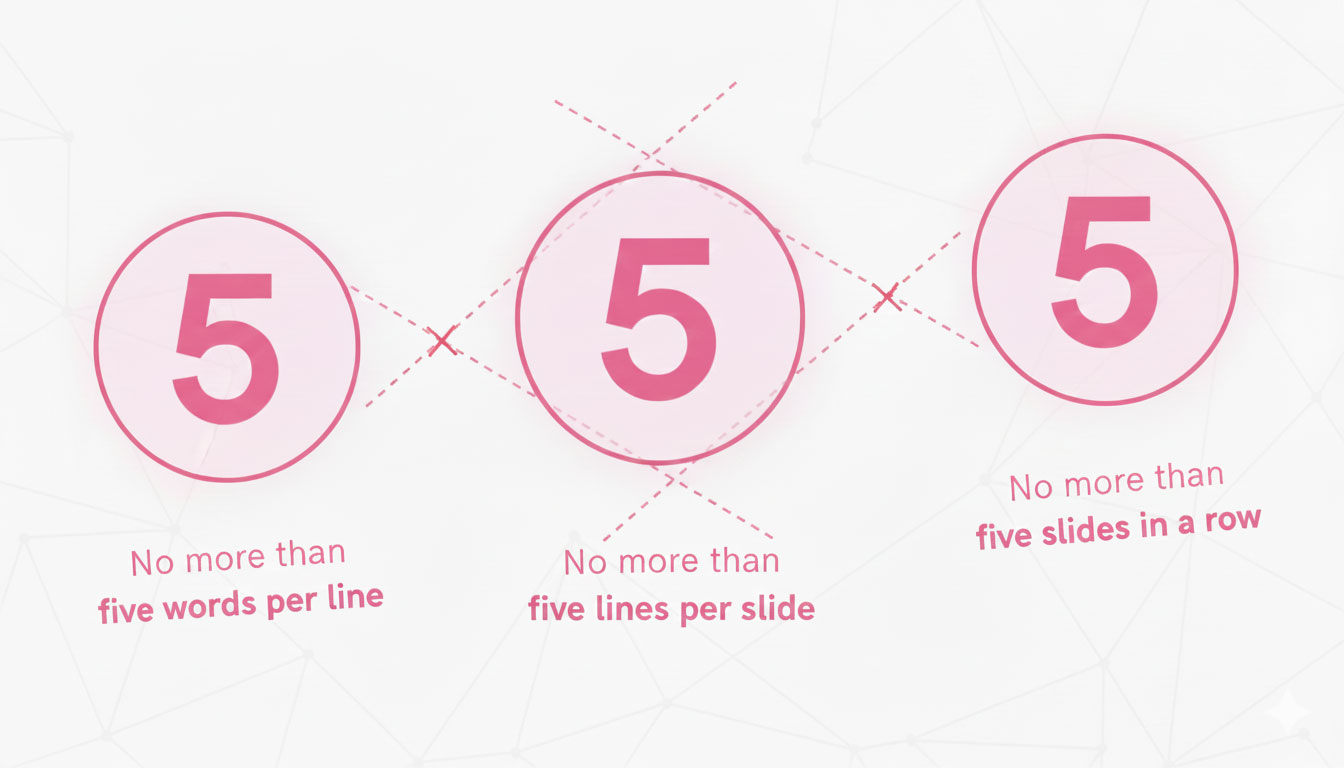
This framework emerged in response to decks overloaded with information and long sentences. It encourages structured slides that clearly and visually communicate key ideas.
5 Words per Line
This restriction to five words per single line forces presenters to edit out the filler and focus on the meaning. Instead of ‘Our company has seen significant growth in the third quarter,’ you write, ‘Q3 revenue increased 40%.’ This way you avoid having more text on the screen than an audience can process. Slides simple and engaging are easier to follow. The resulting output from this is clearer, more scannable, and allows the opportunity to give context verbally.
5 Lines per Slide
Cognitive research shows that short-term information capacity is limited. Restricting slides to five lines respects this limitation and allows people to take in the information. Each sentence becomes a visual cue rather than a paragraph, allowing most people to easily understand the message at a glance.
5 Text-Heavy Slides in a Row
Even well-designed text slides can fatigue viewers if overused. After five text-heavy slides that follow the first two rules, consider adding visuals: images, charts, graphs, or videos. Information in different forms restores audience focus, reinforces main ideas, and reduces cognitive load low. When reviewing the entire presentation, the sixth slide is often a signal to merge content or redesign the structure.
Why We Recommend Using the 5/5/5 Rule
Creating effective PowerPoint presentations is about a balance between audience attention and information delivery. When used correctly, you will reap the following benefits:
- Improves audience focus. Minimal text utilizing short bullet points keeps the audience’s attention on the narration rather than the screen.
- Decreases the cognitive load. Limit the amount of data that appears at once, putting forward only key points that matter.
- Supports clean design. Slides clean of clutter seem professional and intentional.
- Gives more freedom. With less text on screen, you can adapt your language during speech and respond naturally to the feedback.
- Decksy’s smart AI platform automatically applies professional PowerPoint template design, providing a strong foundation for implementing the 5/5/5 rule as intended without any manual formatting.
An Analysis of the 5/5/5 Rule in Comparison to Other PowerPoint Presentation Guidelines
Effective PowerPoint presentations may be achieved in a variety of ways, one of which is the 5/5/5 rule. To help you find the perfect format for your presentation, we will give you a quick rundown of who else is here.
| Rule | Key Guidelines | Best For | Main Advantage |
| 5/5/5 Rule | Max 5 words per line, 5 lines on one slide, 5 slides in a row | Business presentations, pitches, general informative pitch decks | Maximum clarity, better audience focus |
| 6×6 Rule | Max 6 words per line, 6 lines on one slide | Standard business presentations | Slightly more freedom than 5/5/5 with the same readability |
| 7×7 Rule | Max 7 words per line, 7 lines on one slide | University projects, presentations on technical topics | Accommodates detailed content without stuffed slides |
| 10-20-30 Rule | 10 slides, 20 minutes, 30-point font minimum | Investor pitches, startup presentations | Enforces brevity and ensures readable text at any distance |
Whenever Should You Apply PowerPoint’s 5/5/5 Rule?
To further understand the rule’s application in various scenarios, it can be helpful to review several PowerPoint presentation templates:
- Briefings and presentations for executives and clients in corporate settings.
- Presentations during training sessions should be informative but not overwhelming.
- Public speaking during conferences, when audience participation is paramount.
- Presentations in sales and marketing that put emphasis on content rather than detail.
- Stories for nonprofits that aim to move people emotionally.
Problems That the 5/5/5 Rule Is Good For
Even PowerPoint newbies make blunders while trying to make their slides interesting. The 5-5-5 guideline will help you stay away from them.
Thinking of it as a hard and fast rule — the rule is more of a guide than a mandate. On certain slides, additional explanation is needed, but on others, a single punchline will do. Avoid making the language so brief that it becomes unclear, as this might lead to ambiguity in meaning. Change it up if five words isn’t enough to convey what you mean.
Inconsistent scaling, mismatched fonts, and an overall lack of visual hierarchy lead to disorganised presentations. Slide design – Aesthetics are important; use a balanced layout, nice colour palettes, and symmetrical spacing to complement your information.
You should do this for every kind of presentation. For example, you should provide different treatments to the title slide, the agenda slide, and the closing slide. The first two guidelines should be used according to your judgement. Building a limitless supply of bullet points renders them useless, which is known as bullet point overkill. Add some pictures to spice things up a bit.
Problems Occurring When Applying the 5/5/5 Rule
The 5/5/5 rule isn’t always applicable. The time is now:
- Reports that rely heavily on data: Reviews of financial performance or technical evaluations frequently need extensive visuals and detailed explanations. We recommend our AI PowerPoint generator if you need help with creating compelling PowerPoint presentations.
- Technical documentation: Additional explanation may be necessary for steps-by-step instructions or for graphics, graphs, and diagrams that are complex.
- Materials for Handouts: Slides meant to be used as reference materials should provide complete information rather than condensed points.
- In certain cases, precise and comprehensive writing is required for regulatory material or legal terminology.
- More in-depth case studies with a large body of material necessitate more extended presentation slides.
- Academic Presentations: A lot of research presentations call for complex data sets, extensive citations, or detailed techniques.
If your presentation requires more customisation than what the 5/5/5 framework can offer, you can skip hiring a professional agency or spending a fortune on a standard PowerPoint presentation since Decksy’s AI generator can handle even the most complicated formats with ease.
Summary
One easy way to make presentations in PowerPoint that everyone can understand and enjoy is to follow the 5/5/5 rule. You may convey concepts clearly and aid audience memory retention by judiciously utilising fewer words, reducing the number of text slides, and constructing structure. Building slides that convey the information is helpful whether you’re preparing for a public speaking engagement, an academic presentation, or a corporate presentation.
FAQ
Is it OK to use more than five words each line?
Yes. There is no need to adhere to the 5/5/5 guideline. Prioritise efficient communication above appearances if logic dictates more words.
How is the 10/20/30 rule different from the 5/5/5 rule?
Twenty minutes, a minimum font size of 30, and no more than ten slides are all that are required per Guy Kawasaki’s 10/20/30 rule. Instead of controlling total length, the 5/5/5 rule controls density per slide.
Is the 5/5/5 rule applicable to presentations dealing with technical subjects?
Methodologies and diagrams used in technical presentations are frequently overly complex and violate the guidelines. When this is the case, thoroughness is more important than conformity.

On decksyai.com, where people come looking for clarity wrapped in a bit of personality, Julia leans into the details that make a message land: the pause between two ideas, the subtle shift in spacing, the moment a visual finally clicks.